
A support engineer can open any customer's pentest report on your platform. Nobody decided that on purpose. Someone added them to the support role to close a ticket, and the role carried a read grant that got broadened months earlier for a different reason. Remove the person and the problem stays, because the next hire dropped into the same role inherits the same reach.
Role based access control gets taught as a design exercise: draw the roles, draw the permissions, ship the matrix. The harder work is verification. Roles decay as people change jobs, as projects close, and as automation picks up credentials nobody ever gave a job title.
For an MSSP or a consultancy, that decay shows up as cross-tenant reach, self-approved reports and evidence requests from a customer's auditor that your test never thought to answer.
Table of Contents
- Five Parts That Make Role Based Access Control Work
- RBAC Compared With DAC, MAC and ABAC
- How Roles Inherit, Separate and Constrain Access
- Scoping Roles and Authorization Across Customer Tenants
- How to Test Role Permissions in a Penetration Test
- Proving Role Enforcement With Audit Evidence
- Role Creep, Orphaned Accounts and Non-Human Access
Five Parts That Make Role Based Access Control Work
Walk into a hospital and the badge on a nurse's lanyard opens the medication room, the ward doors and the staff elevator. Nobody keyed each of those doors to that one nurse. The badge works because of the job the person holds, and when that person moves to another department the same piece of plastic stops opening the medication room without a locksmith touching a single lock.
Role based access control runs on that idea. Users hold roles, roles carry permissions, and permissions describe an operation on an object. NIST's David Ferraiolo and D. Richard Kuhn formalized the model in 1992, defining authorization around organizational roles instead of per-user grants and presenting it as a nondiscretionary alternative to discretionary and mandatory access control (NIST's archived Ferraiolo and Kuhn RBAC paper).
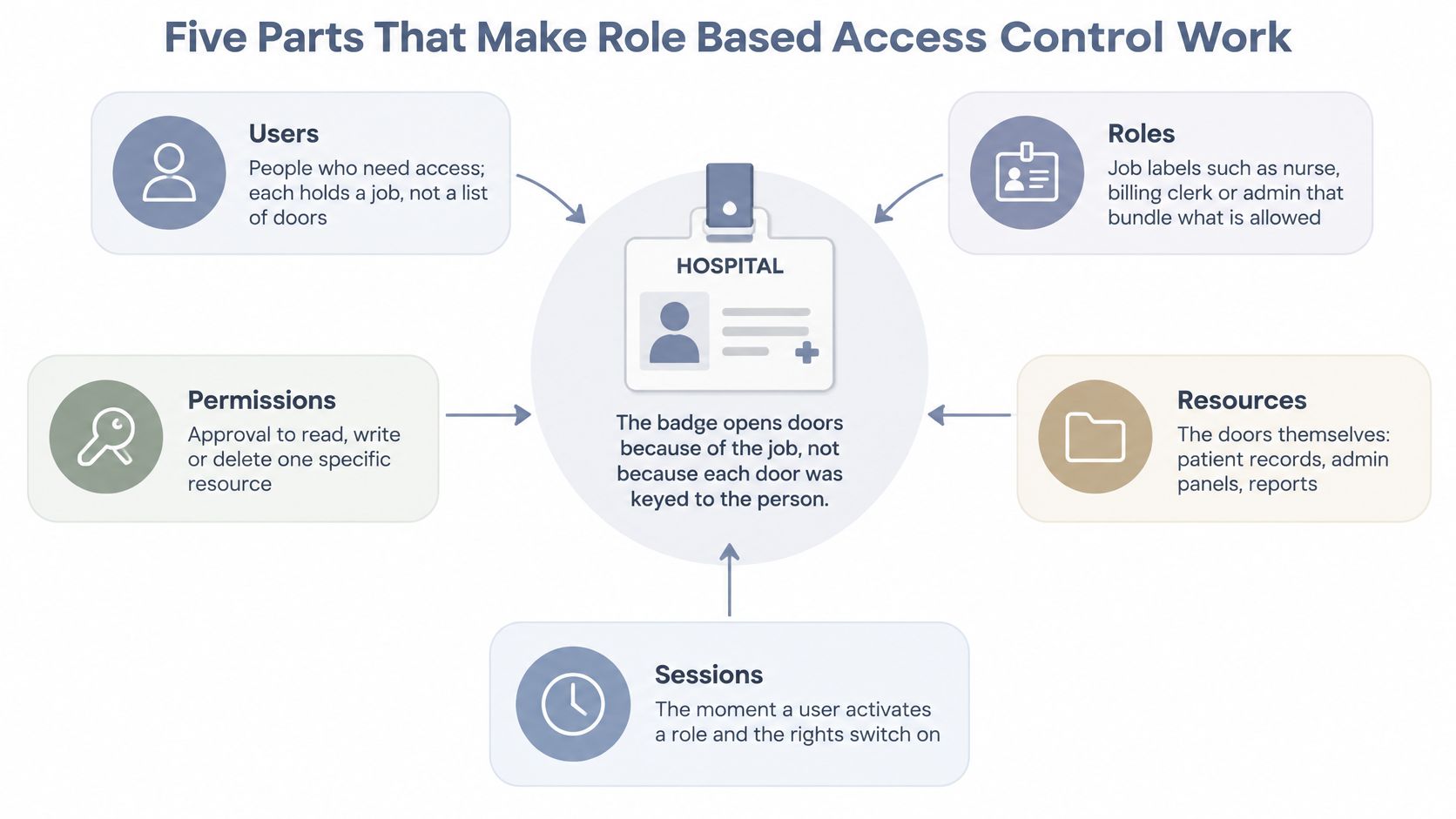
Those doors, badges and people reduce to five elements you can inspect in any application you're asked to test.
| Element | Question it answers | Example in a multi-customer platform |
|---|---|---|
| Users | Who is acting? | A SOC analyst working for one MSSP customer |
| Roles | Which job function is this? | Tenant admin, auditor, support engineer |
| Permissions | Which action is allowed on which kind of object? | Read reports, launch a test, export evidence |
| Operations | What is the user attempting? | A GET, POST or DELETE request on an API route |
| Objects | What is being acted upon? | One customer's pentest report or asset list |
Walking the chain from role to record
Take one request. A support engineer at the provider opens a customer's latest penetration test report. The engineer is the user. The support role is the role. Reading reports is the permission. The permission resolves to a GET operation on an API route, and the object is that customer's report and no other customer's.
Trace it in the other direction and the abstraction pays for itself. Move the engineer into delivery and you change one role assignment, and every grant travels with it. You don't audit forty individual permissions to work out what to revoke. When the support role itself needs less reach, you edit the role once and every holder shrinks at the same moment.
Exercise: pick one application on your current test list and write out its five elements. If you can't name the object a permission protects, you've found the first thing to test.
RBAC Compared With DAC, MAC and ABAC
Before adopting any model, the honest question is when role membership fits the job and when it needs help from something finer.
Discretionary access control lets the owner of each object hand out access. That works on a small team and collapses when thirty customers and two hundred projects mean nobody can review who granted what. Mandatory access control enforces fixed labels set by system policy, which suits classified material and fights a business that reorganizes twice a year. Role based access control moves the decision to a central administrator who assigns roles. Attribute based access control pushes the decision into a policy engine that weighs tenant, project, time, location or data sensitivity on every request.
| Model | Who sets access | Basis for decision | Fit for multi-customer providers |
|---|---|---|---|
| DAC | Object owner | Ownership and per-user grants | Weak central control |
| MAC | System policy labels | Fixed security labels | Rigid for changing business roles |
| RBAC | Central policy administrator | Role membership | Strong for tenant-scoped job functions |
| ABAC | Policy engine | Attributes such as tenant, time and location | Useful when roles alone cannot express the rule |
RBAC doesn't have to stand alone. Constrained RBAC already carries restrictions on time, location and operation, so attributes get layered onto roles rather than replacing them. The model is everywhere: Permit.io's State of Authorization survey reports that 94.7% of surveyed developers had used role based access control at some point in 2025, and that ubiquity is exactly why careless implementations outnumber careful ones.
Where policy is drifting toward attributes, compare ABAC and RBAC models before rewriting the role matrix, because the two fail in different places.
For a tester the comparison changes the work. Under RBAC you verify each role's grant is correct. Under attribute rules you verify every request carries the tenant identifier, the project and the constraint value, and that the engine evaluates them. A role check that passes while the tenant attribute is ignored is still a finding.
How Roles Inherit, Separate and Constrain Access
A hotel runs on three tiers of key. Housekeeping opens guest floors. The duty manager's key opens guest floors plus the back office, the plant room and the cash office, and nobody wrote two separate permission lists, because the manager's key inherits the housekeeping rights and adds to them. The master key sits with two people and a logbook.
That's role hierarchy, and it's the first place a role model saves you effort. A senior role inherits permissions from subordinate roles, so a permission is written once on the base role and flows upward. Copy the permission into every senior role instead and you have four places to update when the underlying rule changes, and three chances to miss one.
ANSI/INCITS 359-2004, adopted on February 11, 2004, set out four components that map onto how these systems are built: Core RBAC, Hierarchical RBAC, Static Separation of Duty and Dynamic Separation of Duty (NIST's twentieth anniversary appraisal of RBAC). A later revision, INCITS 359-2012, kept the same vocabulary, so the terms in a customer's access review still trace back to that document.
Capability grows in steps. Flat RBAC assigns roles and permissions and stops there. Hierarchical adds inheritance. Constrained adds rules. Symmetric adds the reverse lookup, the ability to ask which roles hold a given permission, and that query is the most useful one you'll run during an audit.
Where constraints earn their place
Static separation of duty stops one person from being assigned both the test approver and the evidence custodian roles. Dynamic separation of duty stops both being active in the same session even when one person legitimately holds both. The individual who launches an automated penetration test shouldn't approve its compliance report without an independent review, and naming discipline in a spreadsheet doesn't substitute for that check at decision time.
Practical rule: for every role in the matrix, ask whether a single holder can both create the work and approve it. If the answer is yes, the split belongs in static separation of duty, not in a policy document.
Small teams often have to keep several job titles on one person. A write-up on least privilege in church lending systems shows how to separate what can be separated and compensate for what can't.
Scoping Roles and Authorization Across Customer Tenants
The tenant boundary is where role design stops being tidy. A provider platform admin who onboards customers shouldn't be able to read the reports those customers generate. In most admin panels those two capabilities sit one click apart, and a single "admin" role grants both.
The NIST reference model defines users, roles, permissions, operations and objects, with authorization granted through role membership, and users can't delegate permissions to each other, so the provider keeps role assignment central (NIST's Role-Based Access Control project). That indirection only holds up when roles are scoped to tenant, customer, project and environment, which is what lets a provider administrator manage customer configuration without automatically reaching another customer's evidence.
Cross-tenant reach usually arrives as a horizontal access bug: change the object identifier and watch whether the server resolves the record against your tenant or against the identifier alone. The mechanics are worth reading alongside insecure direct object reference patterns, because a role that is correct in isolation still gets bypassed by an identifier nobody validates.
The authorization gate comes before the first request
No role test starts without proof you're allowed to run it. We accept ownership records, a signed authorization or rules-of-engagement document, or domain and asset control validation. For each engagement on the autonomous platform or Studio, the customer confirms and attests that they're authorized to test the specified targets and scope. Third-party infrastructure needs its own permission: customers may not test cloud, hosting, telecom or SaaS providers without complying with those providers' testing policies and obtaining any required authorization.
Set scope, mode and schedule first, and exclude other tenants unless each one has authorized testing. A test that wanders into a second customer's data because the shared staging environment was in reach is a breach with a report attached.
Build the scope matrix before writing a test case
| Role | Scope | Allowed | Blocked |
|---|---|---|---|
| Provider platform admin | All tenants, configuration only | Onboard customers, set partner settings | Reading customer evidence or reports |
| Customer tenant admin | Own tenant only | Manage users, schedule tests | Other tenants or provider settings |
| Pentest operator | Assigned project | Launch and monitor tests in scope | Approving their own reports or exporting raw evidence |
| Report approver | Assigned project | Review and approve reports | Launching tests on the same project |
| CI/CD API key | Single project | Start tests, retrieve results | Changing roles or creating new keys |
| Read-only auditor | Own tenant | View reports and mapped controls | Editing findings |
The CI/CD row is the one partners get wrong most often. Role based permissions and scoped API keys are how CI/CD integration works on our platform, so a pipeline starts and reads tests without ever holding account-wide control.
The onboarding rule that follows is simple: assign the narrowest role inside one tenant, then test for cross-tenant reach before go-live, not after the first invoice. Pick the highest-risk application in your portfolio this week, confirm its authorization documents, and build its first privilege table.
How to Test Role Permissions in a Penetration Test
OWASP's Web Security Testing Guide sets a tight objective for role testing: identify the application's roles, try to switch into or reach another one, and judge whether role granularity matches the business need (OWASP WSTG role definitions test). Here's the sequence I run.
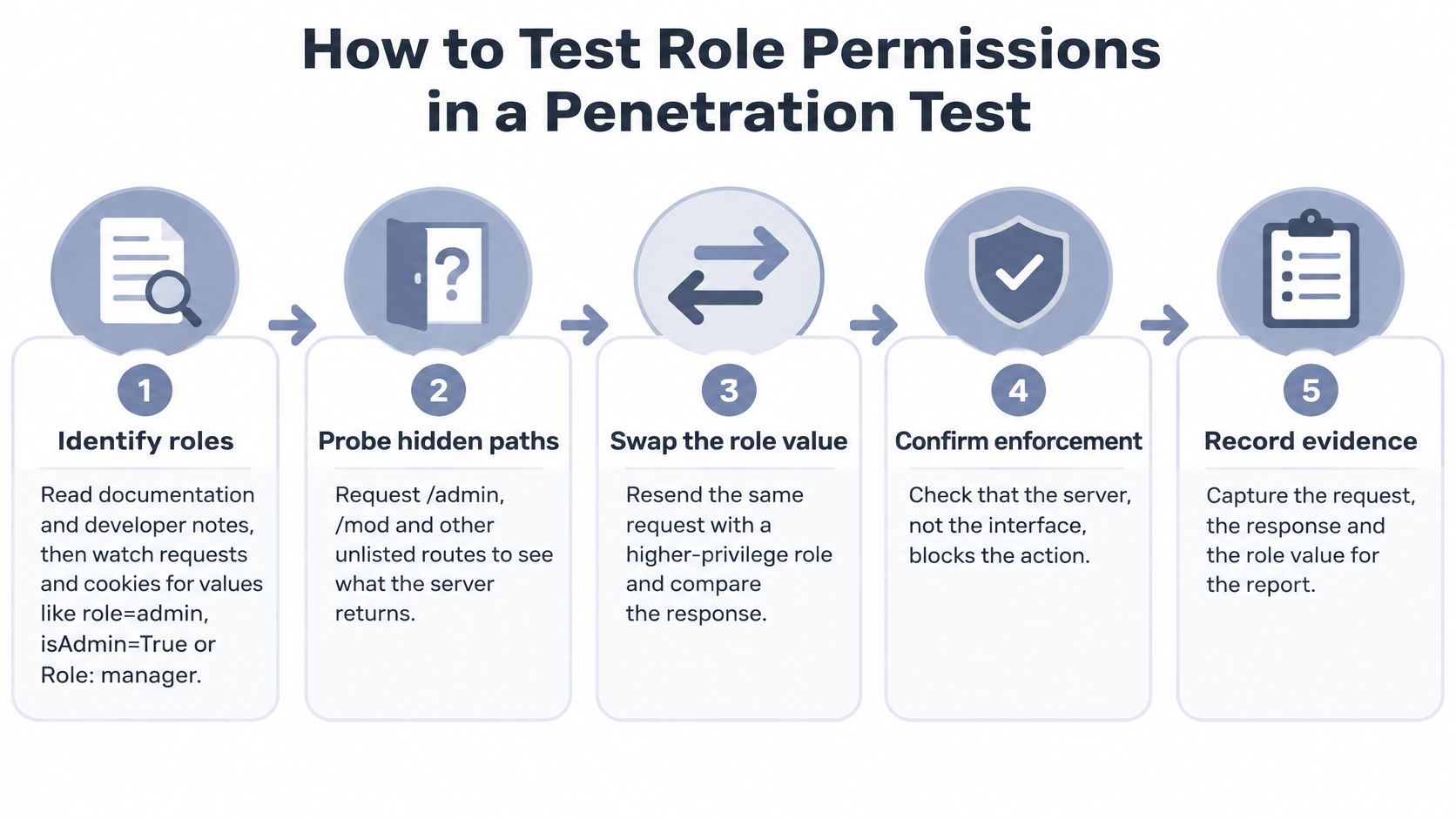
- Identify roles from artifacts, not instinct. Read the application documentation, developer guidance and JavaScript comments, then watch requests and cookies for values such as
role=admin,isAdmin=TrueorRole: manager. Guessing produces assumptions you can't defend in a report. - Probe the paths nobody linked. Request
/admin,/modand/backups, and check whether a suspected role is reachable or just named in a menu that never loads. - Build a privilege table per role. For each one, record what it can do, which resource it can affect and under what constraint (OWASP Testing Guide archive). Three columns force a precision that an endpoint-by-endpoint checklist never reaches.
- Create two accounts per role and per tenant. A comparison needs two live sessions, and one of them must belong to a lower role than the request expects.
- Replay every allowed request from the lower role. Same payload, same object, different session. That's vertical escalation, and it's where you find the endpoint that trusts a menu rather than a decision.
- Change the object and tenant identifiers. Swap a report ID, an asset ID, a customer slug. If the response returns another tenant's record, you've proven horizontal access with a single request.
- Repeat the same permission through other routes. REST and GraphQL often expose one permission through several fields, and an altered HTTP method or workflow state can reach the same handler the UI never calls. The broader classes behind these gaps are covered in API security risks.
- Check the sensitive administrator actions. Backup management, user impersonation and bulk export should require a maker-checker control or multifactor authentication, and an administrator shouldn't hold unlimited power by default.
The most common slip is treating an HTTP 403 as proof the control works. The action may still succeed through a GraphQL field, a batch endpoint or an alternate method, and the 403 only told you about one route.
Test the decision, not the interface. If the button is hidden but the request works, the vulnerability is real and the CVSS score should reflect it.
A finding worth delivering carries the authenticated role, the requested operation, the target object, the constraint that should have applied, the server response and the business impact. Anything shorter invites an argument you'll lose in the retest.
Proving Role Enforcement With Audit Evidence
A finding that says "access control is weak" gets argued with. A finding that says a support role invoked an administrative operation on a protected object, with the account, the privilege, the resource and the control that should have blocked it, gets fixed and gets billed.
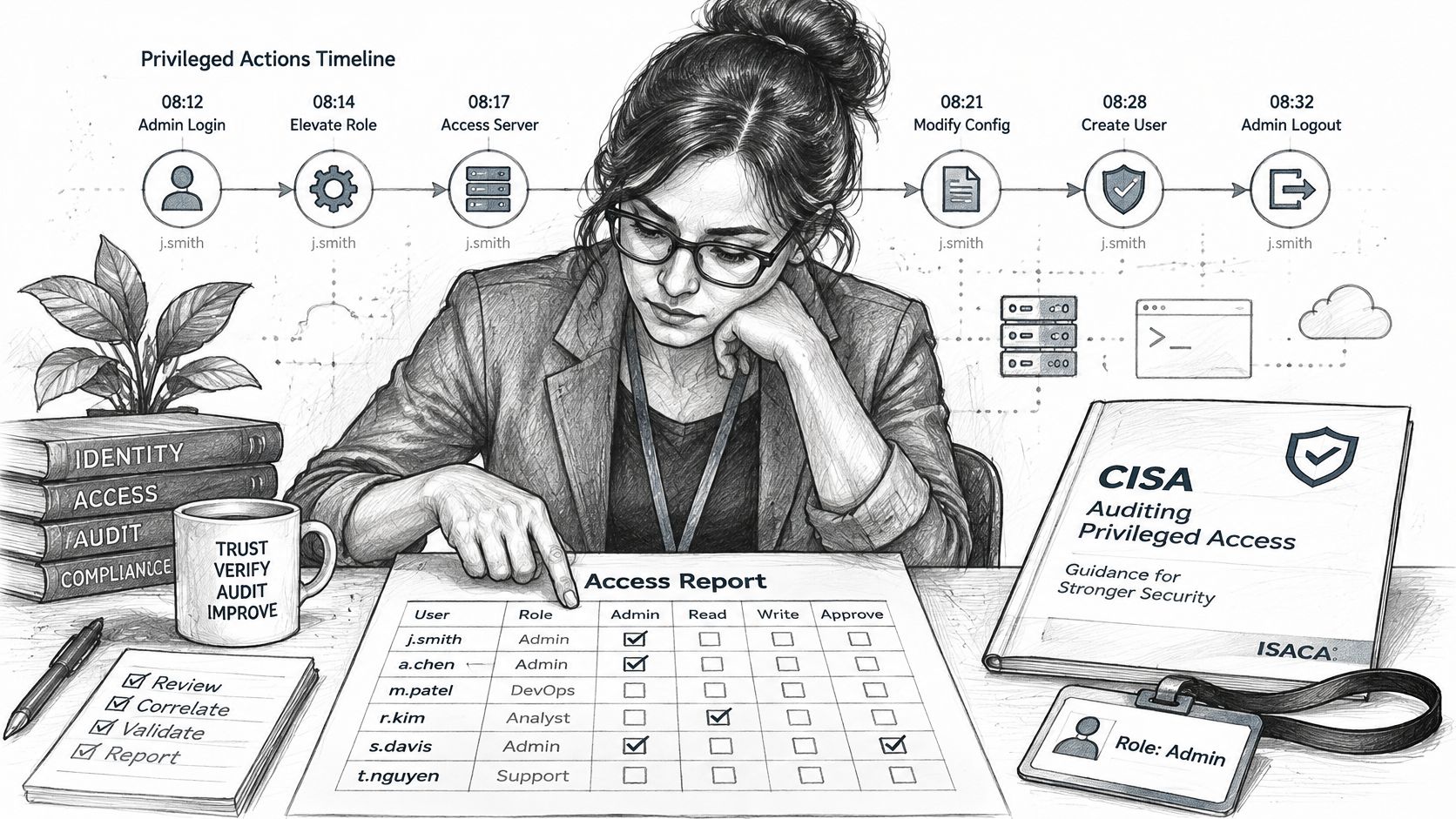
CISA wires RBAC to least privilege and separation of duties, points at NIST SP 800-53 Rev. 5 control AC-5, and recommends regularly testing segmentation controls through penetration testing and security assessments (CISA joint advisory on cyber hygiene improvements). That framing is useful in scoping calls, because it moves the conversation from "did a user log in" to "were administrative privileges held to the minimum, were privileged and normal accounts kept apart, and did third-party or MSP access stay inside its responsibilities".
Decision logs make or break that argument. Every authorization decision should record the subject, the tenant, the active role, the operation, the object, the constraint result and the decision. Without the constraint result you can't tell whether a rule was evaluated and passed or never ran, and that distinction decides whether the customer has a policy gap or an implementation bug.
Compliance frameworks each ask for a different slice of the same evidence. PCI-DSS, SOC 2 and ISO 27001 want to see that roles are enforced, reviewed and traceable, so structure findings against the control each one supports rather than dumping raw requests into an appendix. The discipline behind evidence-based report writing applies directly here. If the decision logs your client produces can't be queried quickly, Samba's audit trail guide is a reasonable primer on what a usable trail looks like.
Minimum evidence set: the account or role used, the privilege exercised, the protected resource, the control that should have blocked the action, the server response and the timestamp. Refuse a role test that ships less.
Role Creep, Orphaned Accounts and Non-Human Access
A role model that passed review at launch can fail a penetration test a quarter later. People move teams, projects close, integrations multiply, and each change leaves a residue of grants that made sense on the day they were added. That residue is what a role-by-role, tenant-by-tenant test has to examine.
The lifecycle questions are harder than the design questions. How do you catch role creep before an auditor does? When does a role get split, retired or converted into an attribute-based policy? How do you validate effective permissions across SaaS, cloud IAM, APIs and a legacy system that predates all of it, rather than only inside the application you happen to own? Even NIST's materials concede that formalizing RBAC specifications can exceed a software team's expertise and that implementation may require costly legacy modification (NIST presentation on Role-Based Access Control). Treat each hard question as a test case, because every one is a place where enforcement drifts away from policy.
| Pattern | Why it happens | Test or fix |
|---|---|---|
| Role creep | Permissions added for one project are never removed | Quarterly recertification against actual job need |
| Toxic combinations | Two roles together allow both creating and approving work | Detect conflicting role pairs and apply static separation |
| Orphaned service accounts | CI/CD keys have no human owner | Assign an owner, rotate credentials, limit to needed operations |
| Cross-tenant reuse | A role is copied to a new customer without a scope check | Scope each role per tenant and test cross-tenant access |
| Over-granular roles | Many narrow roles and undocumented exceptions | Merge roles, document exceptions, review approval load |
| AI agent privileges | An agent inherits an operator's role | Give the agent its own identity, use just-in-time elevation, log attribution |
When a customer asks for more roles, push back: granularity has a cost. Twenty narrow roles generate approval fatigue, undocumented exceptions and a review queue nobody finishes. Eight roles people understand govern better than a matrix nobody can recertify.
Non-human identities break the model's core assumption, because a service account has no job function. An API key used for CI/CD should be bounded to the operations it needs: start tests, retrieve results, nothing else. It needs a named owner, credential rotation and separate attribution in the logs. An AI agent needs its own identity rather than an operator's role, tighter bounds and just-in-time elevation.
The harder question: who revokes an AI agent's privileges when the person who created it leaves? If nobody can answer, the agent now outranks its owner.
Run one test every quarter: compare each role's granted permissions against what the logs show people and services used. Unused grants are either a policy mistake or an account waiting to be misused, and either way they belong in the next remediation list.
Role based access control only earns its keep when someone verifies it tenant by tenant, role by role, with evidence an auditor can follow. ThreatExploit AI runs autonomous penetration tests across web, API, network and cloud targets, and the platform itself uses role based permissions and scoped API keys, so an MSSP can hand a pipeline limited rights without handing over the account. Findings come back with screenshots, evidence and compliance-ready documentation mapped to PCI-DSS, SOC 2, HIPAA and ISO 27001 controls, which is the difference between a role review and a role finding. Visit ThreatExploit AI to see how a partner-scoped test maps your customer's roles before their next audit.