

You're finishing a penetration test report before a client call. The scanner output looks serious, the screenshots are convincing, and the draft describes an authentication bypass. Then a reviewer asks whether the response contains authenticated content, and the evidence shows only a login page.
That's the difference between polished reporting and evidence based report writing. For a security consultancy or MSSP, the deliverable isn't a persuasive description of a vulnerability. It's a defensible record that lets clients reproduce observations, challenge conclusions, and verify remediation without relying on the original tester's memory.
Table of Contents
- Minimum Evidence Every Finding Needs Before Delivery
- How to Build Each Finding From Raw Output
- Capturing Screenshots and Logs That Survive Review
- Mapping Findings to the Controls Auditors Check
- Writing the Executive Summary and Technical Report
- Governing AI-Drafted Findings With Human Review
- Confirm Your Evidence Before the Report Leaves
Minimum Evidence Every Finding Needs Before Delivery
The first failure a client will catch is a claim that exceeds its proof. A scanner flag isn't a finding ready for delivery. The threshold is whether another authorized tester could reproduce the claimed behavior from the report alone, under the documented conditions.
Separate what you discovered from what you demonstrated. An accessible endpoint establishes exposure. A successful attack establishes exploitability. A verified privilege change establishes access. None automatically proves business impact.
Minimum evidence by claim type
| Claim | Evidence to attach | Pass test before delivery |
|---|---|---|
| Exposure | Asset identifier, port or endpoint, response headers or banner | Can a second tester get the same response from the stated scope? |
| Exploitability | Reproducible request and response pair, or command output | Does replaying the steps on a clean session give the same result? |
| Access gained | Sanitized proof of the privilege level reached | Does the evidence show the claimed role, not only a 200 response? |
| Business impact | Affected data class, account count or service name | Is the impact tied to something the client owns and can verify? |
| Failed validation | Attempts that did not succeed and the reason they failed | Are ruled-out paths recorded so the finding is not overstated? |
| Scope | Authorized target, test dates and exclusions | Does the target match the rules of engagement? |
The failed-validation record deserves as much attention as the successful request. Comparative research discussed in a NIST preliminary report found an AI agent with an 18% false-positive rate, described human testers as nearly perfect in accuracy, and observed agents interpreting HTTP 200 responses as successful authentication when authentication had failed.
That result identifies a verification failure, not merely a writing problem. Better phrasing won't correct a mistaken interpretation of application behavior.
Match the artifact to the claim
Say an unauthenticated request reaches an admin path and receives a successful HTTP response containing only a login form. You've demonstrated exposure of that interface, not administrative access. To claim access, you'd need evidence such as a protected action succeeding or a response identifying the authenticated role.
Record the target, timestamp, starting session state, and validation outcome alongside the artifact. If testing stopped because exploitation would breach the rules of engagement, state that limitation explicitly rather than converting an untested possibility into a confirmed consequence.
Proof threshold: If a claim has no matching evidence, narrow the claim or remove it. If the underlying observation itself remains uncertain, return the finding for validation.
How to Build Each Finding From Raw Output
Build the finding around an observation, not the scanner's vulnerability label. Scanner output is an input to analysis, and it may omit application state, compensating controls, or the permissions needed to reproduce the result.
The FedRAMP penetration-test guidance pairs the issue description, target-system impact, recommendation, risk rating, and contextual evidence. That's a useful construction model because the reader can inspect the proof beside the conclusion it supports.
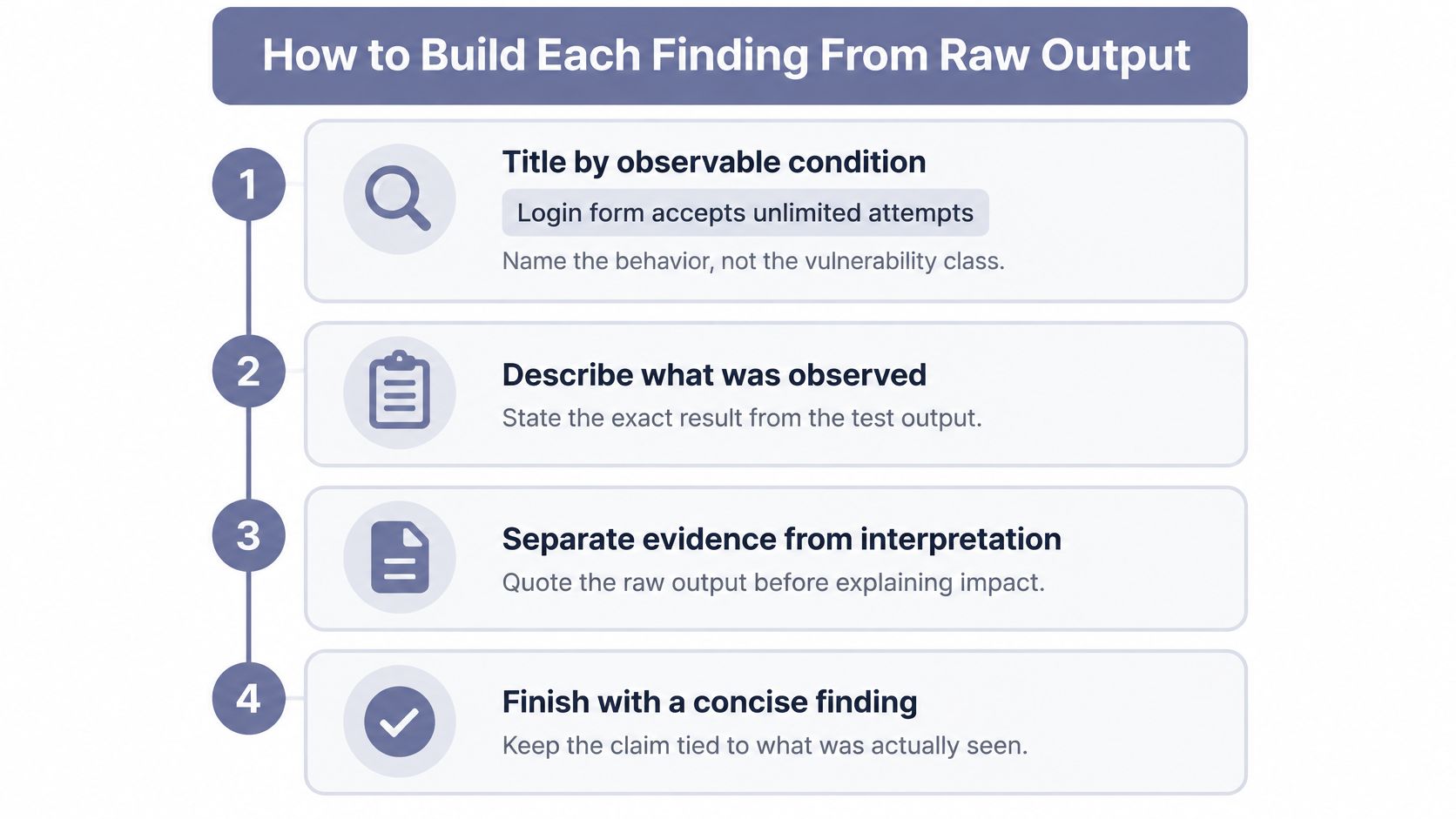
Assemble the finding in a repeatable order
Title the observable condition. Use a behavior-focused title such as Login form accepts repeated attempts without an observed restriction, because the title must describe what the test established. Avoid implying unlimited behavior from a bounded test.
Describe the observation. Name the exact in-scope host or endpoint, request method, starting permissions, and returned result so the reader can locate the affected behavior. Keep interpretation out of this factual paragraph.
Explain target-specific impact. Identify the data, role, or service reachable through the demonstrated behavior because generic consequences don't establish client risk. Mark any untested escalation as a possibility, not an outcome.
Assign and justify risk. Explain the rating using demonstrated impact and exploit preconditions, including required access or user interaction. This makes risk scoring reviewable instead of presenting severity as an unexplained label.
Write independent reproduction steps. Include session preparation, inputs, expected output, and the success criterion because another tester shouldn't need a call to reconstruct the attack. A proof-of-concept exploit should demonstrate the specific claim without unnecessary destructive activity.
Attach artifacts by identifier. Reference the request, response, screenshot, and relevant log directly in the finding so reviewers don't have to search an unstructured appendix. Preserve their relationship to the execution that produced them.
Specify correction and retest. Recommend a corrective action and describe the behavior that should change, because remediation steps need an observable acceptance test. Our reports include remediation steps and risk scoring.
A bounded worked example
Consider a hypothetical finding titled Admin path serves login page to unauthenticated requests. At the authorized admin endpoint, a clean-session request returns HTTP 200 with only a login form. The demonstrated impact is limited to interface exposure; a hypothetical Low rating assumes that exposure violates the client's access policy without proving protected access.
The reproduction sequence is straightforward: clear the session, request the admin path without credentials, and inspect the response body for the login form and absence of protected content. Attach request-and-response artifact F-014-01 and screenshot F-014-02.
If policy requires a restricted administrative path, recommend a role-aware access gateway and retest unauthorized and authorized access. For AWS, Azure, or GCP findings, also identify the affected account, service, region, resource, permissions, and sanitized access proof. A finding without independently executable reproduction steps isn't ready to send.
Capturing Screenshots and Logs That Survive Review
A finding drafted three days after testing can still read well. A screenshot taken three days after testing usually cannot be trusted. Deployments change, account permissions get adjusted, and session state resets, so an artifact captured during reconstruction proves what the system looks like now rather than what it did during the engagement. Capture evidence while the behavior is in front of you.
Use this collection routine:
- Establish time context. Synchronize the testing system clock and record its time zone before testing so client logs can be correlated accurately.
- Capture the observation immediately. Save the request, response, or command result when the behavior occurs, including the session conditions.
- Sanitize deliberately. Remove tokens, personal data, and secrets from delivery copies while retaining the fields that establish the flaw.
- Name artifacts consistently. Include the finding identifier and timestamp in each filename to prevent evidence from drifting between findings.
- Check integrity. Hash original files at capture and again before archiving; record sanitized derivatives separately.
- Restrict and connect. Store evidence with access controls and link each artifact to its finding and collection record.
Artifact types and what each one proves
| Artifact | What it proves | Handling note |
|---|---|---|
| Sanitized HTTP request and response pair | Exact input and server reaction, including status code and body length | Redact tokens and personal data, keep headers that show the flaw |
| Timestamped screenshot | Observed state of an interface at a given time | Include the URL bar and system clock, and crop nothing that changes meaning |
| Command output or tool log | Tool, version, arguments and raw result | Save the unedited log and record the exact invocation |
| Authenticated session proof | Which account type and role the test held | Record the account type and role, never the password |
| File hash or checksum | Evidence unchanged between collection and archive | Hash at capture and again before archiving |
Treat each artifact as a claim that has to clear a proof threshold. A checksum supports integrity, not the truth of an interpretation. A screenshot helps a reviewer understand an interface but does not replace the underlying transaction. AI-drafted findings tend to fail here rather than in the prose: the narrative describes an artifact that was never captured, a timestamp that does not match the log, or a session role the test never held. Reviewers catch these mismatches quickly, so verify that every referenced file exists and shows what the finding says it shows. Our evidence collection includes screenshots for each verified finding.
Decide retention before delivery
No standard prescribes a single retention period for penetration-test evidence, so set one before delivery using applicable legal, regional, and organizational requirements. Record that period in the rules of engagement so the client knows how long originals remain available, who can access them, and when sanitized copies replace them.
For a useful parallel on recording provenance and changes, Loopfour's guide to building a finance audit trail provides a cross-domain reference. Apply that traceability discipline without treating financial procedures as penetration-testing requirements.
Our findings and reports stay tied to the customer's account and can be exported in PDF, JSON, and structured formats whenever needed. Keep sensitive raw artifacts under appropriate restrictions even when a sanitized report is ready for broad distribution.
Mapping Findings to the Controls Auditors Check
Map a finding only to a control the test covered. Keep tested and not present separate from not tested: the former describes a bounded test result, while the latter describes a coverage gap.
NIST SP 800-115 establishes assessment planning as the basis for technical security assessments. Use that plan to connect authorized systems, techniques, exclusions, and access conditions to the coverage claimed in the report.
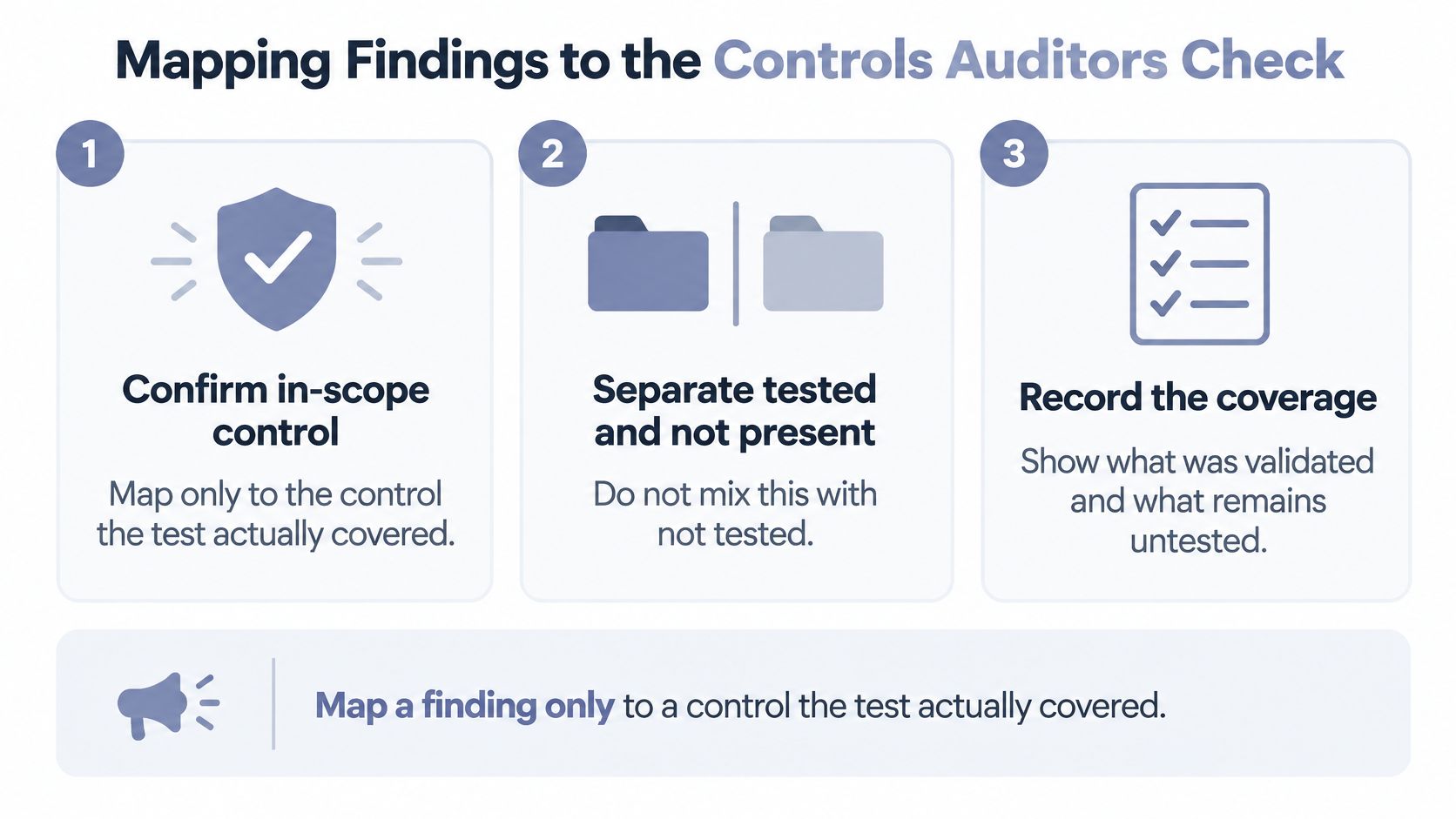
Check coverage before adding framework labels
- Confirm the boundary. Match the tested asset to the system boundary used for the control assessment.
- Record the reference. Tag the finding with the applicable control reference and framework version, subject to assessor review.
- Explain the method. Describe the procedure and access level so an auditor can judge what was evaluated.
- Show retest status. Distinguish open, remediated pending verification, verified fixed, and accepted-risk findings.
- Assign accountability. Attach a remediation owner and agreed due date rather than leaving corrective action unassigned.
For organizing the relationship between a requirement and its test evidence, AskYourQA on requirements-to-test mapping offers a useful traceability model. In penetration testing, include the authorized scope and artifact references alongside that relationship.
Control references by framework
These are reporting checkpoints for proposed mappings, not a substitute for checking the applicable control text and engagement requirements.
| Framework | What the report must show |
|---|---|
| PCI DSS | Authorized penetration-test scope, findings, supporting evidence, and remediation verification relevant to the proposed mapping |
| SOC 2 Type 2 | Vulnerability results tied to the in-scope system over the review period |
| ISO 27001:2022 | Technical vulnerability findings with remediation status and owner |
| HIPAA Security Rule | Evaluation record showing technical safeguards were tested |
| CMMC Level 2 | Vulnerability scan and assessment records with scope and dates |
A single finding may support several mappings, but mapping is an interpretation, not proof of compliance. For example, an exposed administrative login on a cardholder-data system might be proposed for PCI DSS Requirement 11.4 and SOC 2 CC7.1 only after the assessor checks those references against the scoped environment and actual test coverage.
Our reports include evidence, screenshots, and compliance-ready documentation for standards such as PCI-DSS, SOC2, and ISO 27001. Treat compliance documentation as a traceable assessment record, not a collection of framework badges.
A mapping without a stated scope gives the auditor no defensible basis for accepting the claim.
Writing the Executive Summary and Technical Report
One report serves different readers. Management needs an actionable view of exposure and priorities. Engineers need enough detail to reproduce the behavior and verify a fix.
The Penetration Testing Execution Standard reporting guidance distinguishes an executive summary from a technical report, including agreed trendable metrics in the executive layer and methods, evidence, and vulnerability classification in the technical layer.
Executive summary versus technical report
| Element | Executive summary | Technical report |
|---|---|---|
| Reader | Leadership and account owners | Engineers, remediation teams and assessors |
| Content | Severity counts, trends and testing outcomes | Methods, per-finding evidence, reproduction steps and classification |
| Metrics | Success rates and exposure trends agreed before the engagement | Verification status and confidence for each finding |
| Length | Aim for roughly one to three pages as an editorial target | As long as needed to reproduce every finding |
Our reports come with executive summaries for management and technical details for remediation teams. The two views should use the same finding identifiers and assessment status, even when their vocabulary differs.
Write from decisions to execution
Start with a paragraph stating what was tested, the access conditions, and the overall result. Avoid declaring an environment secure merely because testing didn't establish a compromise.
Then present severity counts and the top three exposures, where available, in business terms. Explain which operational decisions need attention, such as restricting administrative access, rotating exposed credentials, or scheduling a service update. Use percentages or success rates only when the denominator and measurement method were agreed and recorded.
Keep methodology and scope concise, ideally on a dedicated page, while retaining material exclusions. Order the detailed findings by risk and attach an evidence reference to each substantive claim.
Finish with the remediation and retest plan. Managers should know who owns the next action; engineers should know the expected result after the change. The executive summary examples can help with management-facing organization, while Zemith's technical report writing guide offers a complementary reference for technical structure.
A report containing only severity counts gives engineers no proof to work from. A report containing only raw artifacts leaves management to infer priorities.
Two-reader test: Can a manager act on the first page alone, and can an engineer reproduce the first finding from its technical evidence package alone?
Governing AI-Drafted Findings With Human Review
A polished AI draft can be internally consistent and still describe an event that never happened. Treat generated text as a proposed interpretation until an accountable analyst checks the consequential claims. NIST's preliminary Cyber AI Profile (NIST IR 8596) reflects the same discipline for AI used in cybersecurity programs: generated output that will feed risk decisions needs documented testing, verification, and validation behind it.

Approve according to consequence
Set a proof threshold per field instead of reviewing the whole report at one intensity. Automate formatting, identifier placement, and evidence indexing with mechanical checks. Let AI summarize tool output, then verify that the summary preserves qualifications, errors, and unsuccessful attempts instead of presenting only the apparent success.
The failure mode is subtle. A model handed forty blocked exploit attempts and one partial success tends to write a clean compromise narrative and drop the attempts that show the control held. The prose reads well. The evidence no longer supports it.
Require analyst approval for exploitability, severity, business impact, remediation advice, and control mappings. These fields drive client priorities and can turn a correct observation into an unsupported conclusion.
Apply stronger review to remediation that could interrupt service or change authentication behavior. An instruction to disable an exposed service needs a different approval threshold than fixing a report's typography.
Keep a conclusion-level audit trail
Each consequential conclusion should carry:
- Evidence provenance. A reference to the raw artifact and the relevant tool output.
- Validation status. Whether the behavior was reproduced, partially verified, blocked, or not tested.
- Confidence and limitations. Why the analyst accepts the claim and what remains uncertain.
- Reviewer identity. The person accountable for approval.
- Control mapping. The proposed reference and its coverage basis.
- Edit history. Who changed the finding, what changed, and why.
Show observed facts separately from model-generated interpretation in the review interface or report fields. When a finding says "confirmed," a reviewer should reach the artifact behind that word without asking the author. Customers should never have to infer which sentences came from a test and which were synthesized.
ThreatExploit's finding accuracy is 94%, and every finding is verified with evidence and screenshots. A platform-wide rate says nothing about whether a specific claim in a specific environment clears the proof threshold, so engagement-specific review still applies.
Before adopting an AI reporting workflow, run a proof of concept against your own verified results. Include negative cases, misleading success indicators, blocked exploit attempts, and ambiguous tool output. Score whether the system abstains appropriately as well as whether it identifies genuine vulnerabilities. A tool that reports a blocked attempt as a confirmed exploit does more damage than one that says nothing.
Human review means targeted approval of consequential claims, not manually rewriting every report. Keep automation where it saves clerical work, and place accountability where a wrong conclusion could change a client's risk decision.
Confirm Your Evidence Before the Report Leaves
Make release a go/no-go decision, not a proofreading milestone. A report can have consistent formatting and still fail because its evidence package, approvals, and client-facing conclusions don't agree.
Run the release gate
Rebuild a sample. Select a finding from each severity tier present and reconstruct its support using artifact identifiers alone. If the reviewer needs the author's memory, the delivery package is incomplete.
Reconcile both views. Compare executive and technical counts, severities, and priority exposures. Resolve differences before export rather than explaining them during the client call.
Match authorization and coverage. Check front-matter scope, test dates, and exclusions against the rules of engagement and the boundaries used for control mappings. Reject accidental expansion from a tested component to an entire environment.
Inspect approvals. Confirm that every severity and exploitability claim requiring human sign-off names its reviewer. A completed draft isn't an approval record.
Test the delivery package. Open the exported report, follow evidence references, and verify that authorized recipients can access the intended artifacts without receiving secrets or unrelated customer material.
Return failures to the owner. Send unsupported findings back for validation or remove them from the verified results. Don't merely soften the wording to move an unresolved claim through the release gate.
We deliver a complete, compliance-mapped penetration test report in under 4 hours from target submission. Keep turnaround time separate from acceptance criteria: fast delivery doesn't change what a finding must prove.
Record the release decision with the report version, reviewer, and unresolved limitations. If a material finding changes after approval, reopen the affected checks rather than assuming the previous sign-off still applies.
This week, take a single finding from your last report and rebuild it against the minimum evidence table before your next client call. Note every point where you need missing context, then turn those gaps into required capture fields for the next engagement.
ThreatExploit AI automates penetration testing and produces evidence-backed, compliance-mapped reports with executive summaries, technical findings, and supporting screenshots. Visit ThreatExploit AI to evaluate how its reporting workflow fits your consultancy's verification and client-delivery requirements.