
Your pipeline is green, your scanner found nothing critical, and the release is queued. Then a client asks a harder question. If a fork pull request ran on that pipeline tonight, could it read a deployment secret, reuse a cloud token, or swap the artifact you are about to ship?
That's where most continuous integration security programs break down. The application gets tested, but the runner that builds it, the identity it assumes, and the third-party actions it executes don't get the same scrutiny. For an MSSP, that gap matters because you're not vouching for one pipeline. You're vouching for dozens of clients whose builds all claim to be safe because a policy document says so.
Table of Contents
- The CI Threat Map and Matching Controls
- Why Build Pipelines Became a Prime Target
- Isolating Untrusted Code From Privileged Pipelines
- Securing Secrets, Identity and Runner Boundaries
- How to Apply Least Privilege Across Pipeline Jobs
- Artifact Integrity and Release Velocity
- Embedding Automated Pentests Into Your Pipeline
- Compliance Evidence and Remediation for MSSPs
- Confirm Your Pipeline Controls This Quarter
The CI Threat Map and Matching Controls
Continuous integration security is the set of controls that keep source changes, dependencies, runners, credentials, and artifacts trustworthy between commit and release. Read the table one row at a time. Each row is one way a build becomes a privileged foothold, and each control earns trust only when a penetration test confirms it holds under attack.
| Threat | What an Attacker Does | Control to Enforce | How a Pentest Verifies It |
|---|---|---|---|
| Poisoned Pipeline Execution | Runs code from an untrusted pull request inside a trusted pipeline | Isolated runners for unreviewed code, manual approval for fork jobs | Opens a fork pull request that tries to read deployment secrets |
| Insufficient pipeline-based access control | Moves between jobs and reads secrets scoped to other stages | Scope secrets to one step; separate nodes by sensitivity | Attempts cross-job secret access from a build job |
| Insufficient credential hygiene | Harvests long-lived tokens from logs or variables | Short-lived OIDC credentials; masked log output | Searches logs and runner memory for live tokens |
| Dependency-chain abuse | Injects a malicious or typosquatted package into the build | Dependency scanning, pinned versions, controlled release delays | Checks whether unvetted packages reach the build stage |
| Improper artifact-integrity validation | Swaps an artifact between build and deploy | Artifact signing and provenance checks before release | Tampers with a staged artifact and confirms the pipeline rejects it |
| Insufficient logging and visibility | Acts without leaving evidence that can be reconstructed | Audit logs tied to commit, runner and artifact IDs | Confirms a test attack can be traced end to end from logs |
How to Read a Row
Don't start with the threat name. Start with the attacker action and ask whether your pipeline would stop it today, then check whether anyone has tried. A control written in a wiki isn't evidence. A blocked fork job, a failed cross-job read, and a rejected tampered artifact are.
The rows also share one pattern. The attacker rarely needs a flaw in your application code. They need trust the pipeline already grants, whether that's a runner with broad network access, a token that lives for months, or a reusable workflow nobody reviews.
Practical rule: If you can't name the test that proves a control works, treat the control as unproven.
Fresh threat intelligence helps you prioritize which attacker actions to test first, so it's worth taking time to compare threat feed options and match feed coverage to the dependency and credential risks in your clients' stacks. That context sharpens scope, but it doesn't replace hands-on verification.
Find the rows where your pipeline has the highest trust and the weakest gate. Make those the first test scope, before you spend effort polishing rows you can already prove.
Why Build Pipelines Became a Prime Target
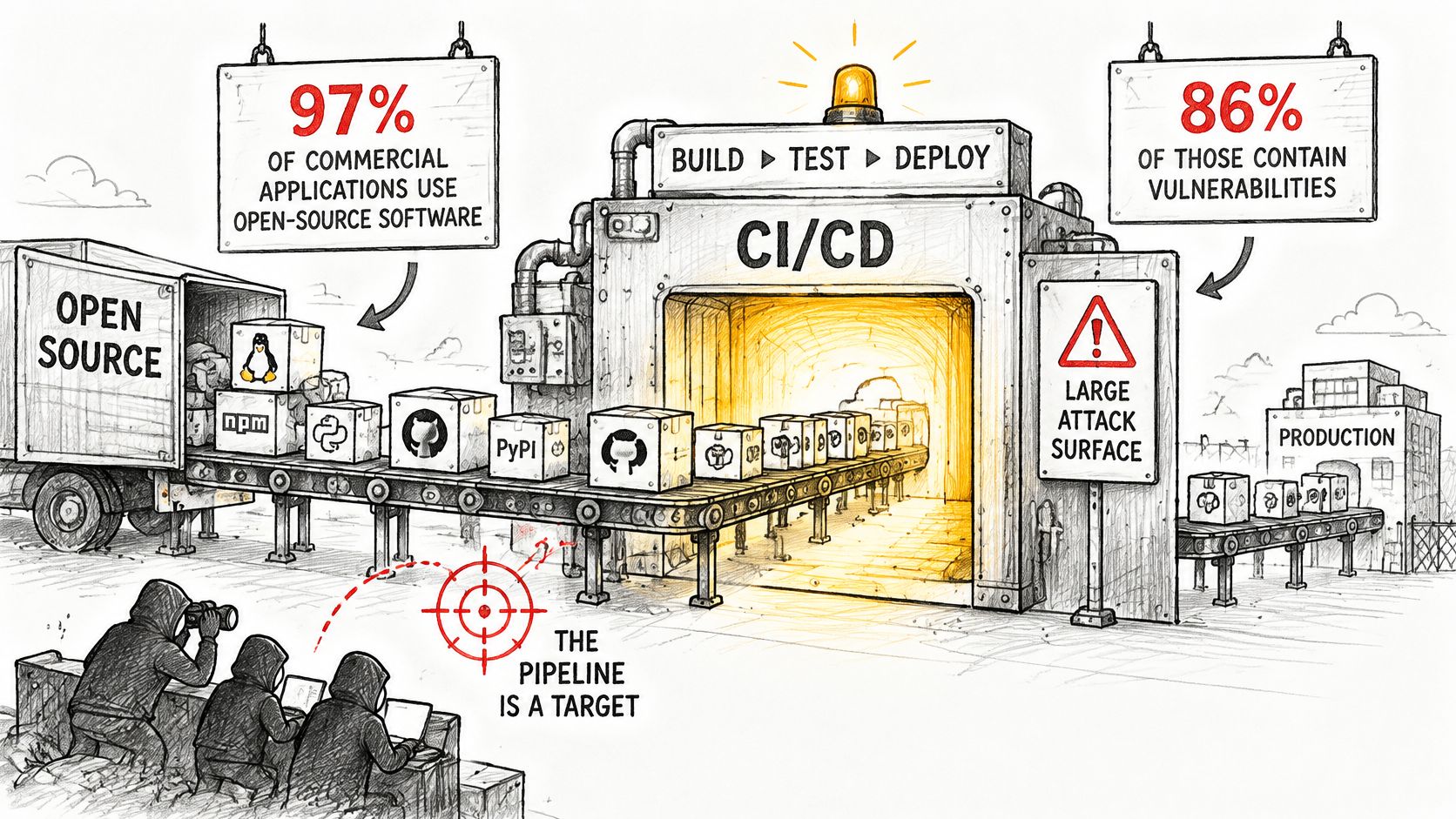
Think of your CI pipeline as a loading dock with keys to the building. Trucks arrive, goods get checked in, and anything that clears the dock is treated as trusted stock. Attackers figured out they don't need to break into the shop floor if they can get their package accepted at the dock.
The dock is busy, too. In 2025, 97% of commercial applications contained open-source software, and 86% of those applications contained vulnerabilities, according to Synopsys' 2025 Open Source Security and Risk Analysis report as cited by CSO's supply chain security coverage. Almost every build pulls in code your team didn't write.
What Compromise Actually Buys an Attacker
A pipeline typically holds source access, build tokens, signing keys, and deployment rights in one place. Compromise it and you don't get a foothold in one app. You get the authority of a release engineer, able to ship code that every downstream system accepts as legitimate.
Three attack paths ride on that trust:
- Malicious dependency: A typosquatted or hijacked package runs its install script during the build, inside your network boundary.
- Tampered build step: A third-party action or reusable workflow changes behavior, and every repository calling it inherits the problem.
- Pipeline definition change: A pull request edits the workflow file itself, so the build does what the attacker wrote, not what your team approved.
None of these needs an application bug. That's why a clean vulnerability scan doesn't prove the pipeline is safe. The scan checked the product. It never checked the factory.
Test the pipeline as an asset in its own right, with its own scope, credentials, and attack paths, not only the application it builds.
Isolating Untrusted Code From Privileged Pipelines
Teams often assume the CI configuration is safe because it sits in version control. Version control gives you history, not safety. A pull request from a fork can still trigger a workflow, and if that workflow inherits secrets or a privileged runner, an outside contributor just executed code inside your trust boundary.
That pattern has a name. OWASP's guidance on Poisoned Pipeline Execution describes unreviewed code executing inside a trusted pipeline context, where it can potentially access credentials, build systems, or deployment environments. The fix starts with deciding how much trust each trigger earns before anything runs.
| Trigger | Trust Level | Runner | Secrets Available | Gate Before Execution |
|---|---|---|---|---|
| Push to protected branch | Trusted | Privileged runner | Deployment secrets | Branch protection and required reviews |
| Pull request from same repository | Semi-trusted | Standard runner | Test-only secrets | Required review before the workflow starts |
| Fork pull request | Untrusted | Isolated ephemeral runner | None | Manual approval before any job starts |
| Pipeline definition change | Untrusted until reviewed | Isolated runner | None until approved | Review of the CI configuration before execution |
| Scheduled scan | Trusted | Dedicated scan runner | Scan credentials only | Scoped token and retained logs |
Controls That Enforce the Boundary
Run unreviewed code on isolated execution nodes that never host deployment jobs. Require manual approval for fork-triggered jobs, and avoid automatically running workflows from public-repository forks where you can. Align every sensitive pipeline with a protected source-control branch, so the branch protections and the pipeline permissions tell the same story.
Review the CI configuration before execution, not after. A workflow file is executable infrastructure, and a one-line change to it can redirect artifacts, add a download step, or print a secret to a log.
A change to a pipeline definition is a change to trust, not only a change to code.
One Test Worth Running This Week
Open a fork pull request against your own repository. Make it print environment variables and attempt to reach a deployment secret. Confirm that nothing executes without approval, that the approval prompt shows who's asking, and that the isolated runner has no route to production credentials. If the job runs on its own, your trigger model is decoration.
Securing Secrets, Identity and Runner Boundaries
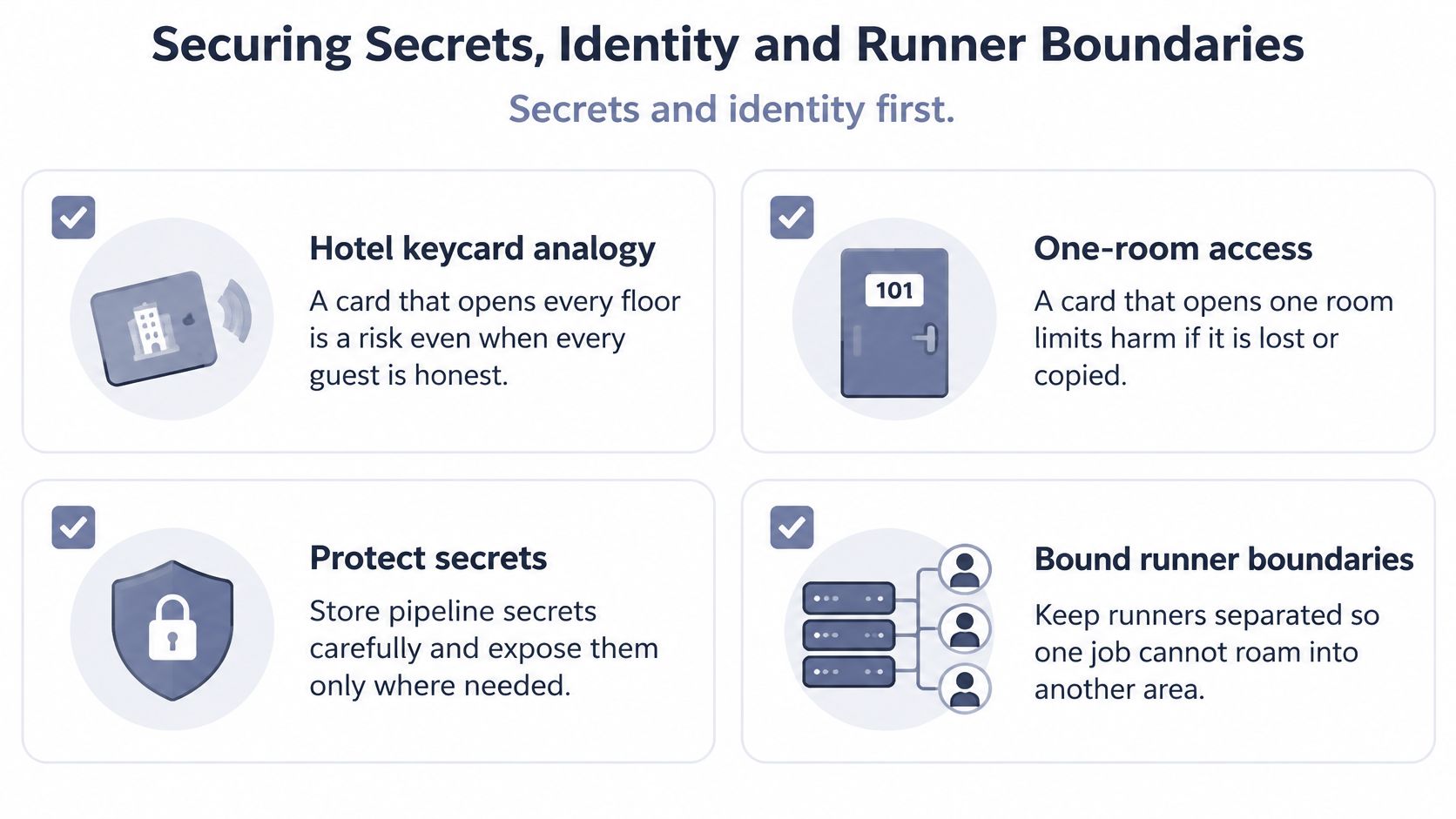
A hotel keycard that opens every floor is a risk even when every guest is honest. Lose it, copy it, or hand it to the wrong contractor, and the whole building is exposed. A card that opens one room for one hour is a different problem entirely. Your pipeline secrets work the same way, and many teams are still issuing master keys.
The infographic below frames the shift from broad, standing access to narrow, expiring access.
Questions Every Team Should Answer
Before you buy another scanner, answer three questions for each pipeline:
- Who can read what: Which workflow steps can access which secrets, and can a test step read a production credential it never uses?
- How long credentials live: Are tokens long-lived static keys, or short-lived credentials minted for one job?
- Where secrets can leak: Can a build step echo a secret into logs, artifacts, or error messages that persist after the run?
If you can't answer from the pipeline configuration itself, nobody owns the boundary. I'd start the remediation there, because it's free and it usually surfaces the worst exposures first.
Replacing Static Keys With Workload Identity
Swap stored cloud keys for short-lived OIDC credentials bound to a specific repository, branch, and environment. The runner proves its identity to the cloud provider at job time, receives a credential that expires in minutes, and leaves nothing behind worth stealing. A leaked log from last week then contains a dead token, not a standing invitation.
Pair that with ephemeral runners destroyed after each job. A compromised run can't persist into the next one, plant a backdoor in a cached tool, or wait for a more privileged job to share its node. Our GitHub Actions security guidance walks through applying this pattern to workflow permissions and runner configuration.
Why Trusted Actions Deserve Suspicion
The March 2025 compromise of the widely used tj-actions/changed-files GitHub Action reportedly affected more than 23,000 repositories and exposed runner-accessible credentials through build logs, as reported in ISACA's 2025 software supply chain security coverage. Nothing about those pipelines looked reckless. They called a popular action, and the action ran with whatever the runner could reach.
That's the lesson. A third-party action isn't a library call. It's privileged code executing inside your build, with your tokens in scope.
Finish with three essentials:
- Scoped secrets: Each secret reaches only the step that needs it.
- Masked output: Logs redact secret values, including encoded forms.
- Pinned actions: Third-party actions pinned to a full commit hash, never a floating tag.
How to Apply Least Privilege Across Pipeline Jobs
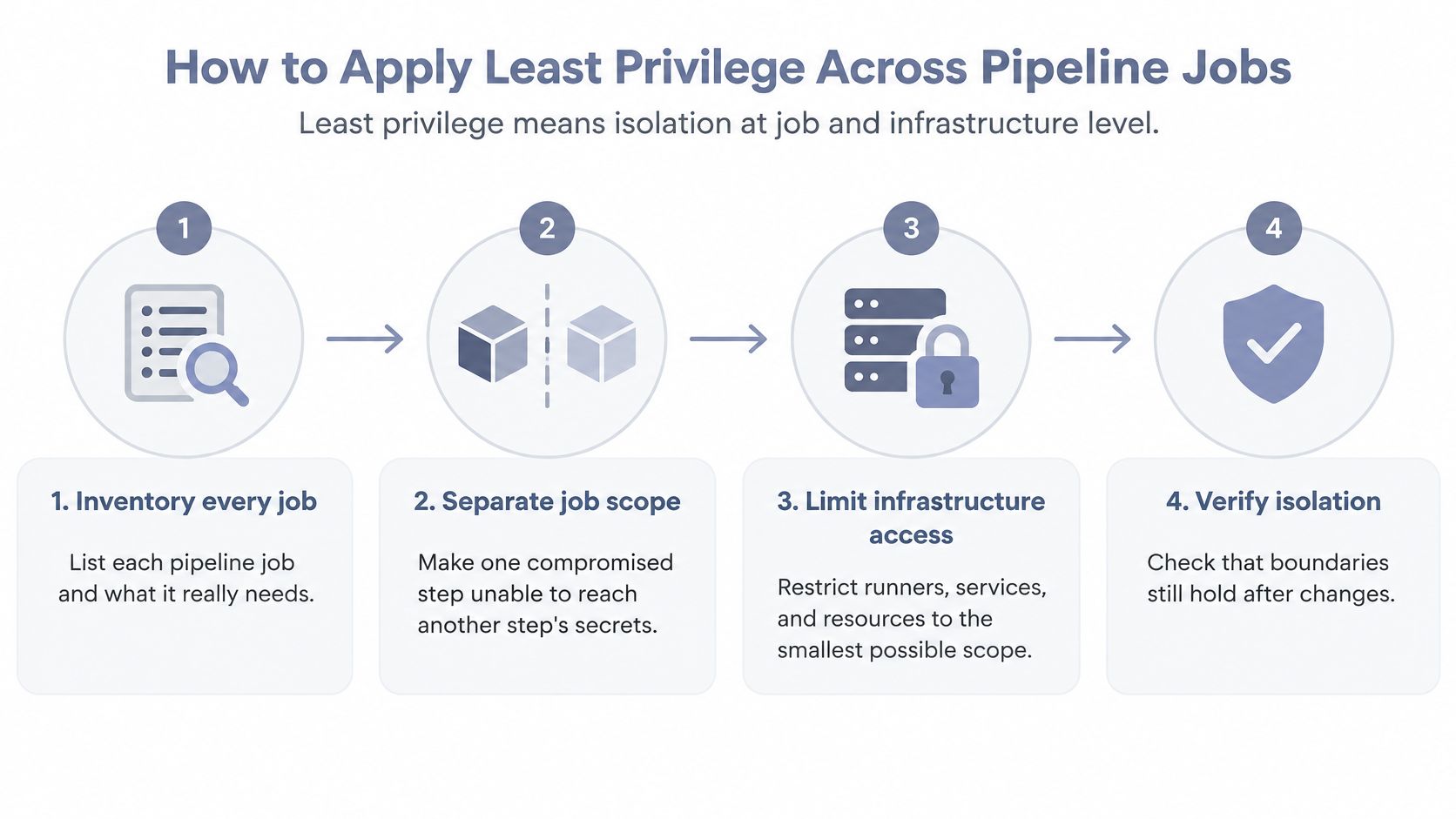
Least privilege in CI isn't a permissions tidy-up. OWASP's pipeline-based access control guidance treats it as isolation at both the job and infrastructure levels, with secrets scoped to the specific pipeline and step, runners returned to a pristine state after each execution, and pipelines of different sensitivity kept off shared execution nodes. One compromised step should not reach another step's secrets. Here's how to get there.
The sequence below summarizes the order of work before the detailed steps.
The Seven Steps
- Inventory every job, runner, and secret it reads. Use the pipeline configuration as the source of truth, not the wiki. The common slip is a forgotten debug job still holding production access.
- Scope each secret to one pipeline and one step. Organization-wide secrets feel convenient until one low-risk repository leaks a credential that deploys everything.
- Separate runner pools by sensitivity. Unreviewed code should never share a node with deployment credentials, even at different times of day.
- Restrict network egress to named registries and endpoints. Open egress is usually left in place for convenience during setup and never revisited. It's also the exfiltration path.
- Run package-install scripts in a separate context. Install scripts execute arbitrary code from the internet, so they shouldn't be able to read other stages' secrets.
- Reset each runner to a clean state after every execution. A pristine runner denies attackers persistence and denies your team mysterious cross-build contamination.
- Test the isolation. Attempt cross-job secret access and outbound exfiltration from a build job, the way an attacker with a malicious dependency would.
The thinking mirrors network design more than it mirrors code review. Teams exploring zero trust for WiFi networks will recognize the principle. Verify every access in context, assume the internal environment isn't automatically safe, and segment so one breach stays small.
Proof it works: A failed cross-job read and a logged, blocked outbound request tell you more than a hundred pages of policy.
If step seven succeeds for the attacker, steps one through six were intentions, not controls. Fix the boundary, then run the test again.
Artifact Integrity and Release Velocity
Signing artifacts sounds like paperwork until you frame it correctly. DORA's 2022 research found that software-supply-chain security controls such as those associated with SLSA positively affect software-delivery performance only when strong CI capabilities are already established, and that teams with high levels of security practices were 1.6 times more likely to have high organizational performance than teams with low levels. Repeatable pipeline controls help delivery. Ad hoc manual checks hurt it.
Gate at Promotion, Not at Every Commit
- Sign each artifact at build time and record provenance linking it to the commit, runner, and build ID.
- Verify signature and provenance before promotion, not on every commit, so feature work stays fast.
- Hold newly published dependency versions for a controlled delay before builds can consume them, giving malicious releases time to be caught upstream.
- Roll out in stages with predefined rollback triggers, such as error-rate spikes or failed post-deploy checks.
Skipping this has a measurable cost. 2025 reporting identified CI/CD pipelines and build environments as a direct target in 22% of software-supply-chain incidents, according to Sygnia's supply chain attack reporting, while Verizon's 2025 DBIR executive summary found third-party involvement in breaches doubled to 30%.
Our supply chain security software guidance covers the tooling side of this verification chain. The trade-off is manageable. Gate at promotion, keep commits fast, and artifact tampering still gets caught before production.
Embedding Automated Pentests Into Your Pipeline
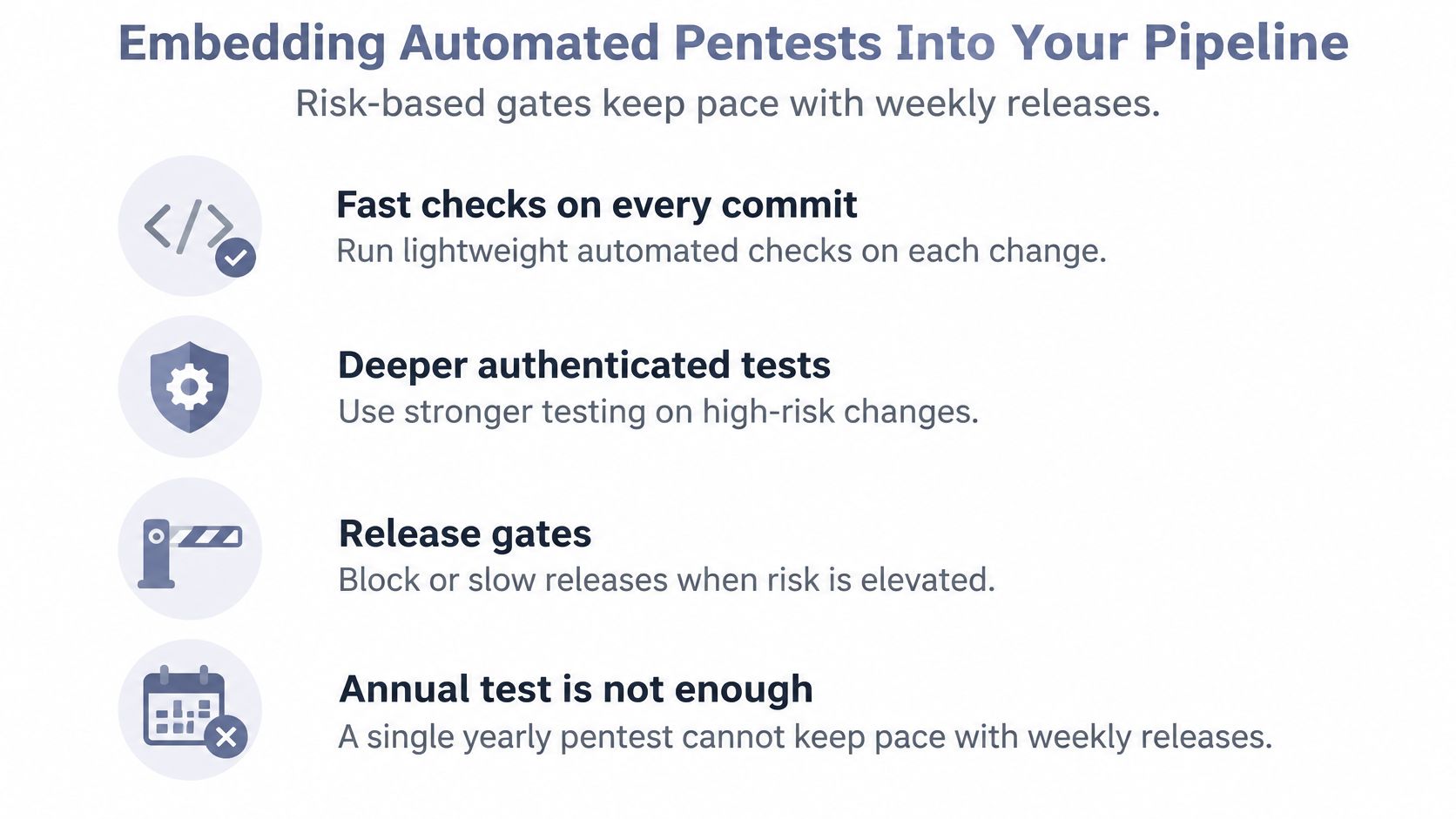
A single annual penetration test can't keep pace with weekly releases. By the time the report lands, the team has shipped dozens of changes, rotated dependencies, and rebuilt the thing you tested. The answer isn't testing everything on every commit either. That way lies a pipeline so slow that developers route around it.
The workable model is risk-based gates. Fast checks run on every change. Deeper authenticated tests run on high-risk changes and release candidates.
The infographic below shows how gate depth scales with risk.
Matching Test Depth to Change Type
| Change Type | Test Scope | Gate Action |
|---|---|---|
| Routine commit to a feature branch | Fast API and configuration checks | Report only, no block |
| Dependency update | Software composition analysis and targeted web tests | Block on high-confidence critical findings |
| Infrastructure or cloud-role change | Cloud configuration and network tests | Block until reviewed |
| Release candidate | Authenticated web, API and network penetration test | Block promotion on verified findings |
| Quarterly or annual baseline | Full scope plus retest of prior findings | Evidence filed for audit |
The blocking rule makes or breaks this. Block promotion on verified, high-confidence findings only. Route lower-confidence results into prioritized tickets with a named owner and a due date. If every scanner alert blocks a release, teams will demand exemptions until the gate means nothing. If nothing blocks, the gate is theater.
The walkthrough below shows an automated test triggered from a delivery workflow.
How the Integration Should Authenticate
ThreatExploit AI fits the model by allowing tests to be launched from CI using role-based permissions and API keys, so each job authenticates with a scoped key rather than a shared administrator login stored in a pipeline variable. Apply the same least-privilege discipline to your testing tooling that you apply to your cloud roles.
Tests run on dedicated resources, not shared or multi-tenant infrastructure, which keeps results predictable and isolated between clients. For an MSSP running release-candidate tests across many customers, that isolation is what makes the evidence defensible.
Automated testing supports manual work. It doesn't replace a tester's judgment on exploitability, chained findings, or business-logic flaws that only appear when someone abuses a workflow the way a real attacker would.
Track three signals to know whether the model is working:
- Release-candidate tests completed: Are high-risk releases getting deep tests?
- Verified findings per release: Is the trend falling as teams fix root causes?
- Time from finding to retest: Are fixes confirmed quickly, or aging in a backlog?
Compliance Evidence and Remediation for MSSPs
CI controls detect problems early, but they don't retire your formal obligations. PCI DSS Requirement 11.4 requires organizations to perform internal and external penetration testing at least annually and after any significant modification to infrastructure or applications. In a CI environment, that modification trigger fires often. Material pipeline changes, new deployment infrastructure, and significant authentication or segmentation changes can all require reassessment rather than waiting for the annual date.
What to Retain for Every Engagement
- Scope and methodology: What was tested, how, and under what authorization.
- Findings with identifiers: Each finding tied to the commit and artifact that introduced or fixed it.
- Remediation evidence: The change made, who made it, and when.
- Retest results: Confirmation that the original attack path now fails.
That chain is what auditors examine. If you're formalizing how evidence is recorded and retained, Font Checker Pro's audit trail guide offers a useful plain-language breakdown of what an audit trail should capture and why. Our own compliance documentation guidance covers structuring that evidence for client delivery.
For each engagement, the customer must confirm and attest that they're authorized to test the specified targets and scope. Depending on the target, that may mean ownership records, a signed rules-of-engagement document, or domain validation before testing begins. Get that paperwork before the first scan, not during the audit.
A Five-Stage Remediation Workflow
- Triage by severity and exploitability, not scanner score alone.
- Assign an owner with a due date tied to release risk.
- Fix in a branch, through the same pipeline controls as any other change.
- Retest the same attack path through the pipeline, not a lighter rescan.
- Close with evidence attached, so the finding, fix, and retest sit in one record.
Keep one distinction sharp throughout. A verified finding has been confirmed exploitable with evidence. A scanner alert is a hypothesis. Only verified findings should drive blocking decisions, client escalations, and audit statements, because alert counts collapse under the first serious question from an assessor.
Our reports include evidence, screenshots, and compliance-ready documentation for standards such as PCI-DSS, SOC 2, and ISO 27001, mapped so audit questions get answered from the same evidence your engineers used to fix the issue. One evidence set, two audiences, no reconciliation project at audit time.
Confirm Your Pipeline Controls This Quarter
You don't need a program launch to start. You need five checks, run in order, on the pipelines that matter most.
- Pick your three highest-trust pipelines and list every secret each one reads. Anything nobody can justify gets scoped down or removed.
- Check fork-triggered runs. Confirm they wait for manual approval and execute with no secrets on an isolated runner.
- Run one cross-job secret access test. It should return a block, and the attempt should appear in your logs.
- Add a release-candidate pentest gate to one client pipeline, blocking only on verified findings.
- Save the evidence in your audit format, so it answers PCI DSS Requirement 11.4 questions without reformatting later.
When partners are ready to onboard customers onto this model, our team helps set them up, so the first pipeline doesn't become a science project.
Start with the pipeline whose trust level is highest and whose gate is weakest. Widen the scope only after the first clean run.
ThreatExploit AI gives MSSPs and security consultancies automated, evidence-backed penetration testing that plugs into CI workflows, so release candidates get verified testing and compliance-ready reports without slowing delivery to a crawl. If you're ready to prove your pipeline controls instead of assuming them, visit ThreatExploit AI and put your highest-trust pipeline to the test.