
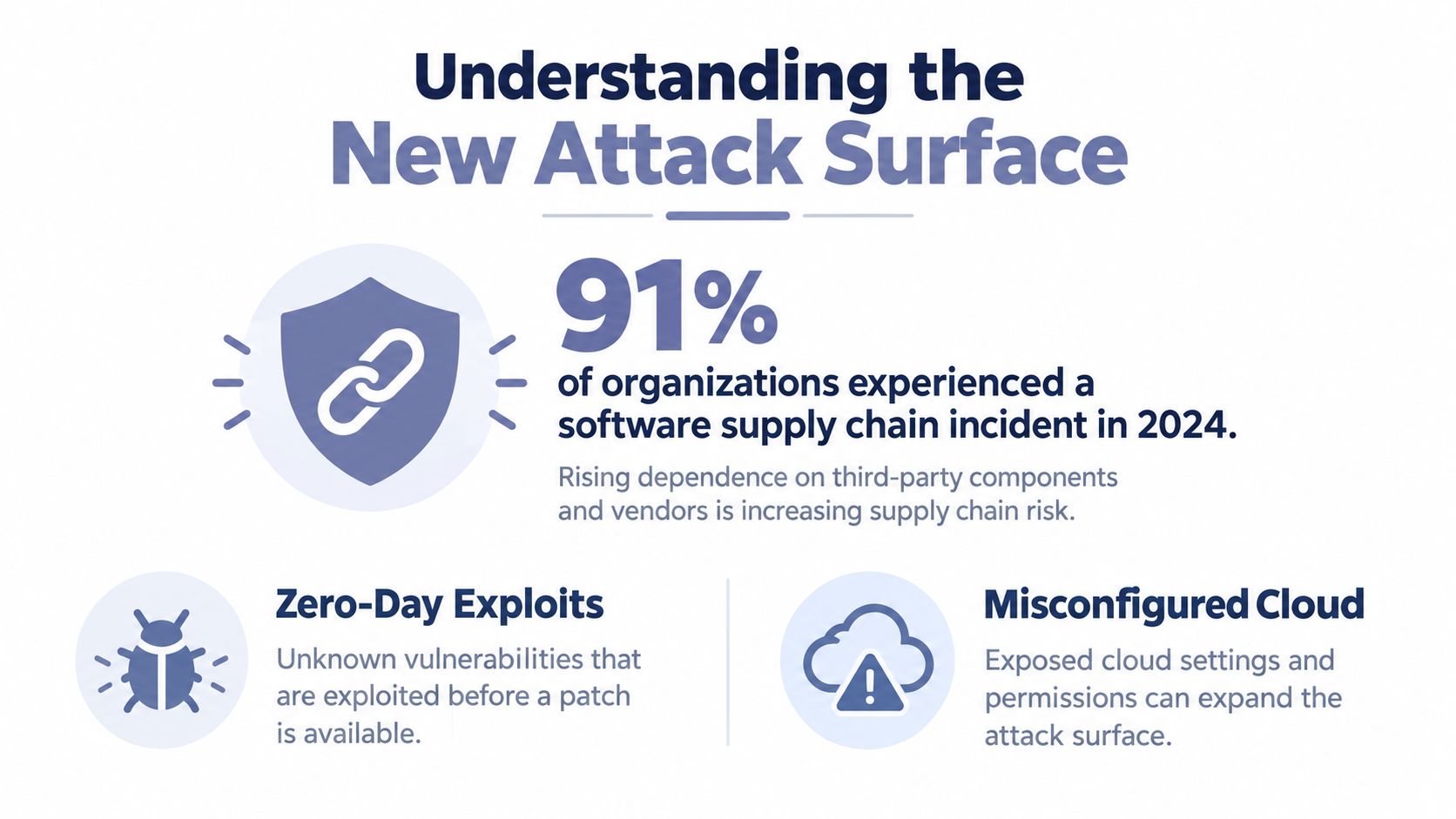
Teams still test the thing they build more aggressively than the system that builds it. That's backward. In 2024, 91% of respondents worked for organizations that experienced a software supply chain incident in the previous 12 months, with prominent causes including zero-day exploits in third-party code, misconfigured cloud services, open-source software and container image vulnerabilities, stolen secrets or passwords, and API breaches, according to the cited survey summary in this software supply chain incident research reference.
From a penetration testing standpoint, that changes the target. CI/CD pipeline security testing isn't just about catching bad application code before release. It's about testing whether an attacker can ride your build agents, tokens, actions, plugins, registries, and deployment trust paths straight into production.
Table of Contents
- Understanding the New Attack Surface
- Sequencing Your Security Tests Correctly
- Navigating OWASP CI/CD Risk Classes
- Embedding Automated Pentesting into Pipelines
- Mapping Findings to Compliance Controls
- Addressing the Continuous Testing Gap
- Frequently Asked Questions
Understanding the New Attack Surface
Attackers used to work harder for production access. Now they often go after the delivery chain because the pipeline already has the permissions, secrets, and deployment authority they want.
When I review modern environments, the ugly problems usually sit outside the application repo. A GitHub Action pulls mutable third-party code. A self-hosted runner sits on a flat internal network. A cloud role assumed through OIDC has broader access than anyone intended. A deploy token can write to places it only needed to read. None of that shows up in a normal source scan.
What pentesters have to treat as in scope
A proper pipeline assessment starts by treating the build-and-deploy chain as its own attack surface. That means testing secrets stored in the pipeline, OIDC and cloud credentials assumed by jobs, the runners that execute those jobs, third-party actions and dependencies, and deploy tokens used to ship code to production, as outlined in this CI/CD pipeline penetration testing scope guide.
That list sounds obvious until release pressure hits. Then teams narrow scope to “scan the repo and move on,” which is exactly how runtime trust paths stay soft.
Here's the practical shift. Your application may be hardened, but your pipeline can still be the shortest path to compromise if it can mint credentials, publish artifacts, or push infrastructure changes.
Pipelines don't just process code. They exercise authority.
Hidden runtime risks most teams under-test
The runtime layer is where many guides go thin. They'll tell you to add SAST and maybe secret scanning, but they won't tell you how to test whether the pipeline itself trusts too much third-party code at execution time.
That's where action integrity, ephemeral identities, and AI-authored infrastructure changes become high-value pentest targets. Independent reporting notes that only 4% of GitHub Actions users pin the hash for all marketplace actions, while 71% never pin any action hashes, according to this analysis of marketplace action pinning and pipeline hardening. If a pipeline consumes mutable third-party actions by default, you're not only testing software risk. You're testing whether the release system imports untrusted execution logic on every run.
A similar problem shows up with generated infrastructure artifacts. Recent coverage on AI-generated deployment assets points out that deployment infrastructure artifacts such as Dockerfiles, containers, CI/CD configuration, and serverless definitions can be materially riskier than general application code, and one cited study found deployment infrastructure averaged 57.5% vulnerability, with Dockerfiles performing worst, as discussed in this review of AI-generated infrastructure risk in CI/CD. If your team uses AI to draft pipeline YAML or IaC, review paths need to tighten, not loosen.
For teams adopting agents in development workflows, this safety overview for AI agents is a useful reference point because it frames the operational question correctly. Don't only ask whether the generated output works. Ask what that output can reach, what it can authenticate to, and how much trust the pipeline grants it by default.
A good first exercise is formal attack surface mapping for delivery workflows. If you can't name every identity, runner class, action source, artifact store, and deployment credential involved in release, your testing scope is too narrow.
Sequencing Your Security Tests Correctly
Most noisy pipelines fail for one reason. Teams throw scanners into random stages, then wonder why developers ignore the output.
The sequence matters because different controls answer different questions. You want the fastest, lowest-noise checks first, while code is still cheap to fix. The slower and more environment-dependent checks belong later.
The order that actually works
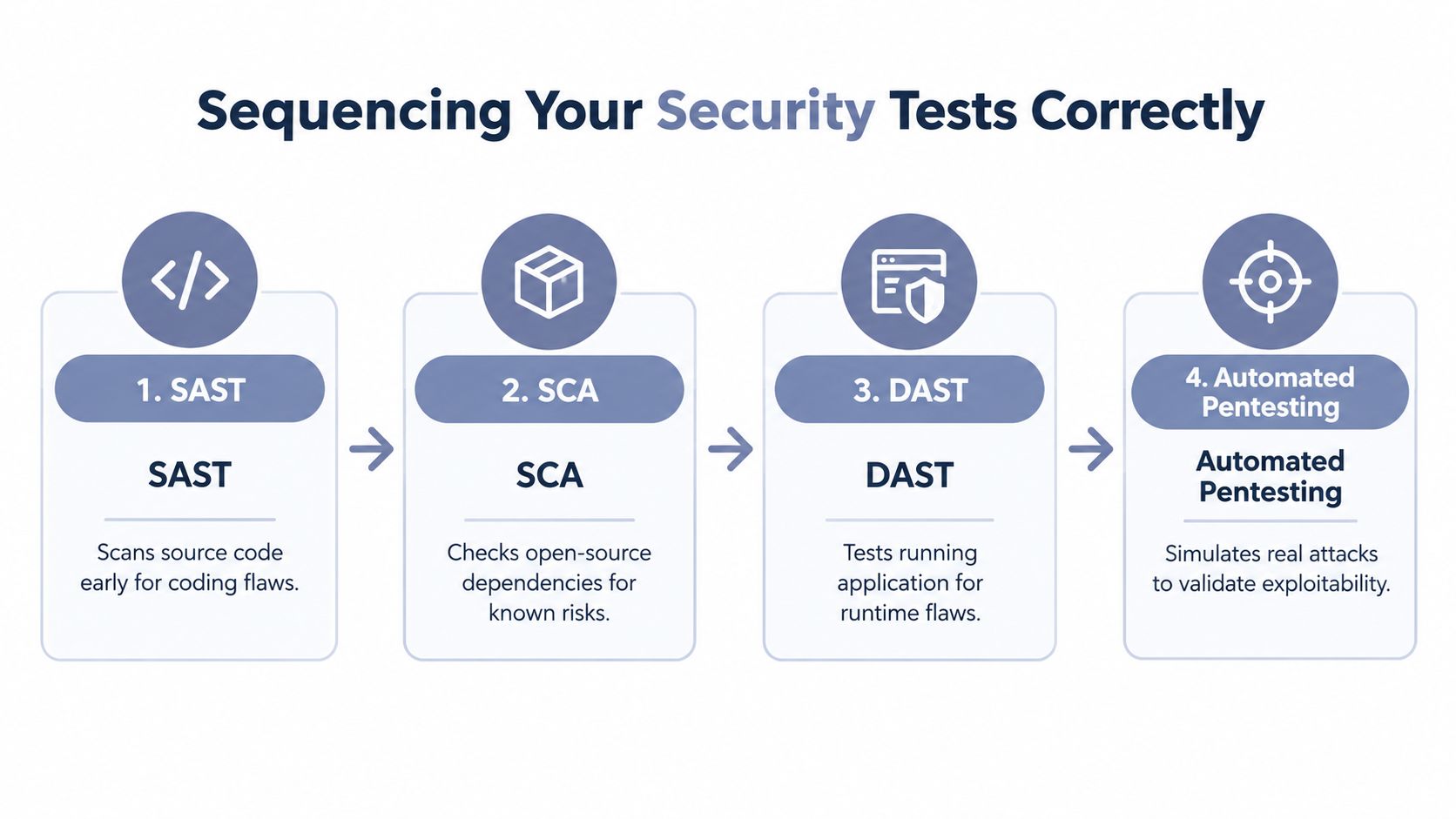
A practical sequence is documented in this research on CI/CD security test ordering: run secrets scanning at pre-commit or push, dependency and SCA checks at build time, SAST on each pull request or commit, container and IaC scans during artifact generation, and DAST only after deployment to a running staging environment.
That order works because each stage aligns with what the tool can realistically validate.
Pre-commit or push for secrets Catch credentials before they land in shared history. Once a secret reaches version control, fixing the file isn't enough. Rotation, history review, and pipeline audit work follow.
Build time for SCA Dependency checks belong where the full dependency tree is visible. That's where you can see what the build resolved, not just what a manifest declared.
Pull request or commit for SAST Static analysis is useful when it comments on real code changes and gives developers near-immediate feedback. Run it too late and it becomes release friction instead of coding guidance.
Artifact generation for container and IaC scanning The packaged environment becomes visible. You're no longer reviewing only source intent. You're reviewing what will run.
Staging for DAST Dynamic testing needs a live target. Running it before deployment makes no sense, and running full DAST on every tiny change can turn your pipeline into a queue.
Why random sequencing fails
The common failure mode is front-loading heavyweight checks and back-loading basic hygiene. Teams run broad static checks after the build, skip commit-level secret controls, then use DAST as a blunt instrument on every branch. That burns time and trust.
Practical rule: Put fast certainty early and slow realism late.
NIST guidance supports embedding both static and dynamic testing into delivery gates by recommending the use of SAST and DAST tools covering all languages used in development, as stated in NIST SP 800-204D. The key is not whether to use both. It's where to place them.
A workable gate model
Use a gate model that reflects exploitability and operational cost.
| Stage | Best use | What to avoid |
|---|---|---|
| Commit or push | Secret exposure checks | Heavy scans that slow local work |
| Pull request | Targeted SAST on changed code | Massive rule sets with no tuning |
| Build | SCA and dependency policy checks | Treating manifests as the whole truth |
| Artifact creation | Container and IaC validation | Skipping generated assets |
| Staging | DAST and exploit verification | Running it before there's a live app |
This is also where teams should stop thinking of scanning as the entire answer. Scanners tell you what looks wrong. Pentesting tells you what an attacker can chain together.
Navigating OWASP CI/CD Risk Classes
OWASP's CI/CD guidance matters because it treats the delivery chain as a target, not just a transport layer for application code. That matches what tends to break first in real assessments. The weak point is often the pipeline runtime itself: the runner that keeps state between jobs, the OIDC trust policy that is too broad, or the marketplace action pinned to a mutable tag.
The OWASP CI/CD Security Cheat Sheet breaks the problem into 10 risk classes: insufficient flow control, inadequate IAM, dependency chain abuse, poisoned pipeline execution, insufficient PBAC, insecure credential hygiene, insecure configuration, ungoverned third-party services, improper artifact integrity validation, and insufficient logging and visibility.
Which classes deserve the most attention
During a pentest, I prioritize the classes that let an attacker turn a single workflow run into broader control over builds, artifacts, or cloud access.
- Poisoned pipeline execution is usually the fastest route to impact. A compromised action, plugin, or helper script executes inside a trusted job, often with access to secrets, artifact stores, and deployment credentials.
- Inadequate IAM shows up in OIDC trust relationships, long-lived CI tokens, and service accounts that can do far more than the job requires. Once a runner can mint cloud credentials, small mistakes become account-level exposure.
- Dependency chain abuse includes far more than application libraries. In CI/CD, it covers marketplace actions, shared templates, package registries, builder images, and any remote component the pipeline pulls and executes automatically.
- Improper artifact integrity validation breaks release trust at the point that matters most. If provenance, signatures, or promotion controls are weak, the team can ship a tampered build through an approved process.
- Insufficient logging and visibility makes incident response slow and contentious. If the platform cannot show which workflow ran, which identity assumed which role, and which artifact was promoted, containment turns into guesswork.
Why pipeline execution risk outranks many code findings
A code flaw still needs an exploit path. A poisoned workflow step often already has one.
In practice, a CI job may have outbound network access, cloud federation through OIDC, write access to package registries, and permission to update deployment manifests. That is why source-code-focused programs miss serious exposure. They are looking for vulnerable functions while the attacker is studying trusted execution paths inside the build system.
The questions that expose real risk are usually operational:
- Which ephemeral runners are ephemeral, and which ones retain cache, workspace data, or credentials between jobs?
- Which OIDC trust policies allow branch-based or repository-wide assumptions that are broader than intended?
- Which marketplace actions are pinned to immutable commits, and which still follow mutable tags such as
v1? - Which plugins, setup steps, or bootstrap scripts download and execute remote content at run time?
- Which approval gates happen before privileged actions, rather than after the pipeline has already built, signed, or published the artifact?
If an attacker can steer the pipeline, they do not need many application bugs.
Turning OWASP classes into test actions
OWASP categories are only useful if they become concrete tests.
| OWASP class | What to test |
|---|---|
| Inadequate IAM | OIDC trust boundaries, job token scope, cross-project access, cloud role assumption paths |
| Dependency chain abuse | Third-party actions, shared runners, package sources, mutable tags, remote bootstrap scripts |
| Insecure credential hygiene | Secret exposure in logs, token lifetime, masked output bypasses, reuse across environments |
| Improper artifact integrity validation | Signing, provenance generation, verification before promotion, registry trust settings |
| Ungoverned third-party services | Plugin inventory, approval workflow, update control, external SaaS integration scope |
Governance claims usually fail at the evidence stage, not the policy stage. Teams say artifact signing is in place, but promotion jobs do not verify signatures. They say runner isolation exists, but the same self-hosted runner processes unrelated repositories. They say cloud access is short-lived, but the OIDC role trust policy accepts any branch in the org.
That gap shows up in external guidance too. NIST emphasizes software supply chain controls such as protecting build environments, generating provenance, and verifying integrity in NIST SP 800-218, the Secure Software Development Framework. In pipeline terms, that means testing the systems that build and release software, not just the source they compile.
Embedding Automated Pentesting into Pipelines
Scanning alone won't tell you whether a build token can be abused to pivot into cloud resources, whether a staging deployment exposes an exploitable path, or whether a runner configuration turns one bad action into a broader compromise. That's where automated pentesting belongs in CI/CD.
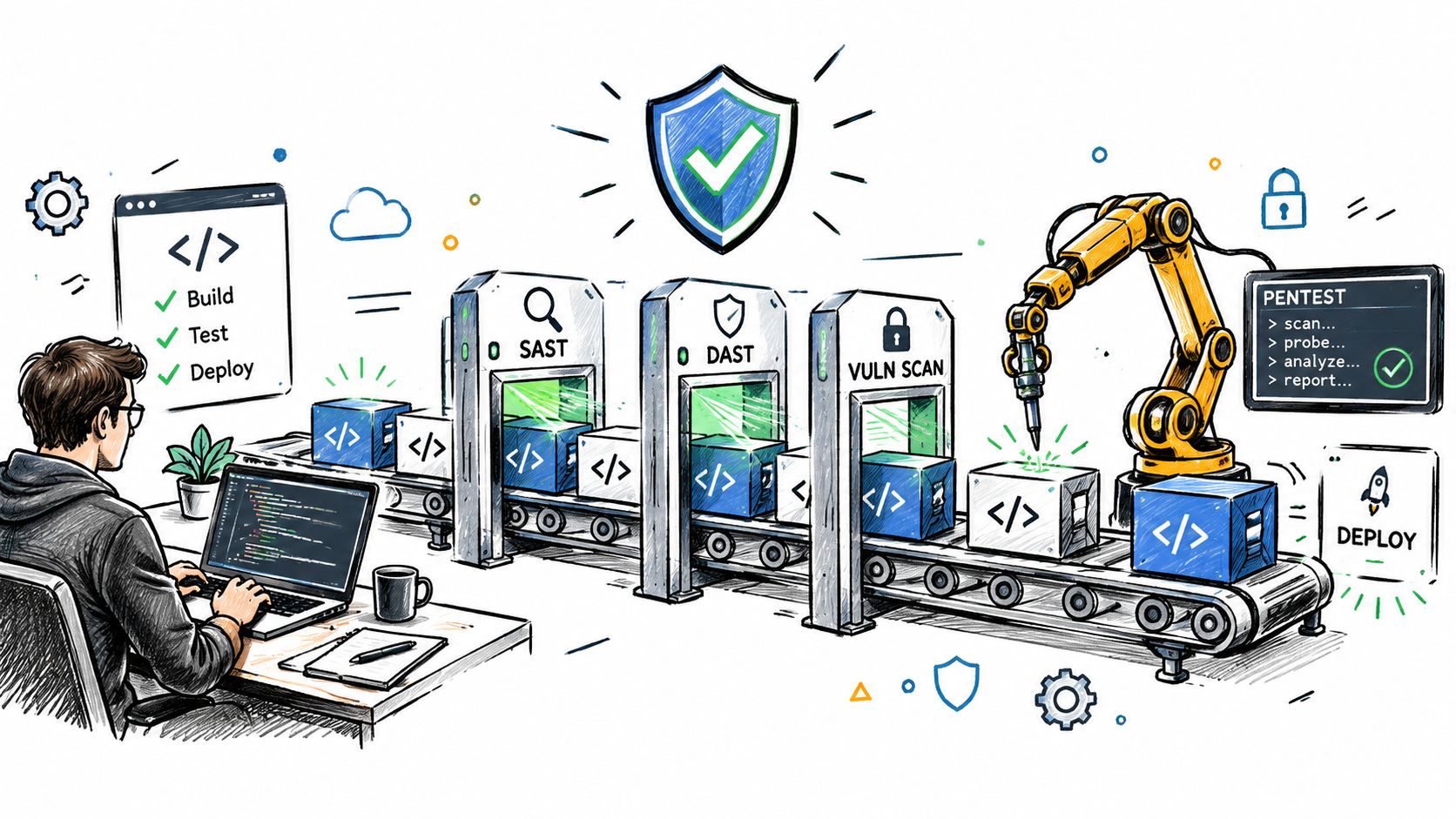
The operational model is straightforward. Build and deployment stages do the deterministic checks. After a QA or staging deployment, a pentest stage exercises the running target and verifies whether suspicious conditions are exploitable.
Where automated pentesting fits
The right place is after the application or exposed service is reachable in a controlled environment and before promotion to production. That gives the test a real execution surface without turning production into the lab.
A practical pipeline pattern looks like this:
Build and scan early Run secret checks, SAST, SCA, and infrastructure validation before deployment.
Deploy to QA or staging Stand up the version that's about to be promoted, with representative auth flows and integrations where possible.
Trigger pentesting by API Use pipeline-native jobs in Jenkins, GitHub Actions, GitLab CI, or similar tools to call a pentesting platform and pass the scoped target details.
Wait on policy thresholds Let the pipeline receive results back through webhook or polling. Promotion should depend on defined security thresholds, not someone reading a dashboard later.
Export evidence Store the screenshots, technical details, and structured outputs alongside the build artifacts or release records.
How this looks with a dedicated platform
One option in this category is ThreatExploit AI. It provides API-triggered automated penetration testing for web, network, and cloud targets, plus CI/CD integration, role-based permissions, API keys, JSON and PDF reporting, and a VS Code extension. In a pipeline context, the useful pieces are the ROOT Controller for orchestration, partner-scoped pentest servers for isolated execution, and client-ready evidence outputs that can feed release decisions or downstream reporting. Teams building release security around iterative deployment can also use this continuous integration in Agile reference to align pentest triggers with how their delivery cadence works.
That's the point where automated pentesting stops being “extra testing” and becomes release verification.
A walkthrough helps more than another checklist:
Common implementation mistakes
The mistakes are usually operational, not technical.
Testing the wrong environment If staging doesn't resemble production in auth, routing, or service exposure, pentest results won't reflect release risk.
Using vague scopes “Test the app” is not a scope. Define whether the run targets web endpoints, APIs, cloud assets, or internal network paths exposed during deployment.
Failing every finding equally Pipelines need policy. Verified exploitable issues should gate differently from informational findings.
Automation works when it verifies, not when it floods.
The goal isn't to replace human pentesters. It's to reserve human time for the ugly edge cases and use pipeline-triggered testing to validate every meaningful release candidate.
Mapping Findings to Compliance Controls
A finding that never maps to a control often dies in triage. Security teams care. Auditors care. Release managers care only when the result is legible in the language they already use.
That's why CI/CD pipeline security testing needs reporting discipline. If your pipeline test shows exposed credentials in logs, mutable third-party execution, weak artifact validation, or overbroad job identity, the next step is to tie that evidence to the control families your client or internal governance program already tracks.
Turning raw findings into audit-ready evidence
Good reporting for pipeline assessments includes three layers:
Technical proof Screenshots, request and response context, job names, affected stages, token scope observations, and exploit path notes.
Control mapping Affected framework references across programs such as HIPAA, SOC 2, PCI-DSS, CMMC, ISO 27001, GLBA, and GDPR.
Executive translation Plain-language impact. Can an attacker alter build output, access cloud resources, bypass approval logic, or push unauthorized deployments?
That structure matters because audit conversations rarely start with “show me the poisoned action path.” They start with “show me the control failure and the evidence.”
A practical way to organize this is with a formal compliance matrix for security findings. It gives consultants and MSSPs a way to map one technical issue to multiple obligations without rewriting the finding every time.
Where regulated scope gets real
PCI-oriented guidance is especially useful here because it makes the point explicit. Pipeline infrastructure in scope must be included in the organization's penetration-testing program, with both internal and external testing conducted at least annually and after significant changes, according to this PCI DSS-focused CI/CD penetration testing guidance. If the pipeline can affect cardholder-data environments, it isn't adjacent to compliance. It is part of compliance scope.
That has a direct reporting consequence. Findings from pipeline tests can't live only in engineering tickets. They need exports and evidence packages compliance teams can consume.
A screenshot-backed finding tied to a control closes arguments faster than a generic scanner alert ever will.
For teams that also need to explain where data can and can't move during automated testing, this resource on compliance and data boundaries is worth reviewing. The security discussion gets sharper when everyone understands which artifacts, logs, and evidence outputs cross trust or residency lines.
Addressing the Continuous Testing Gap
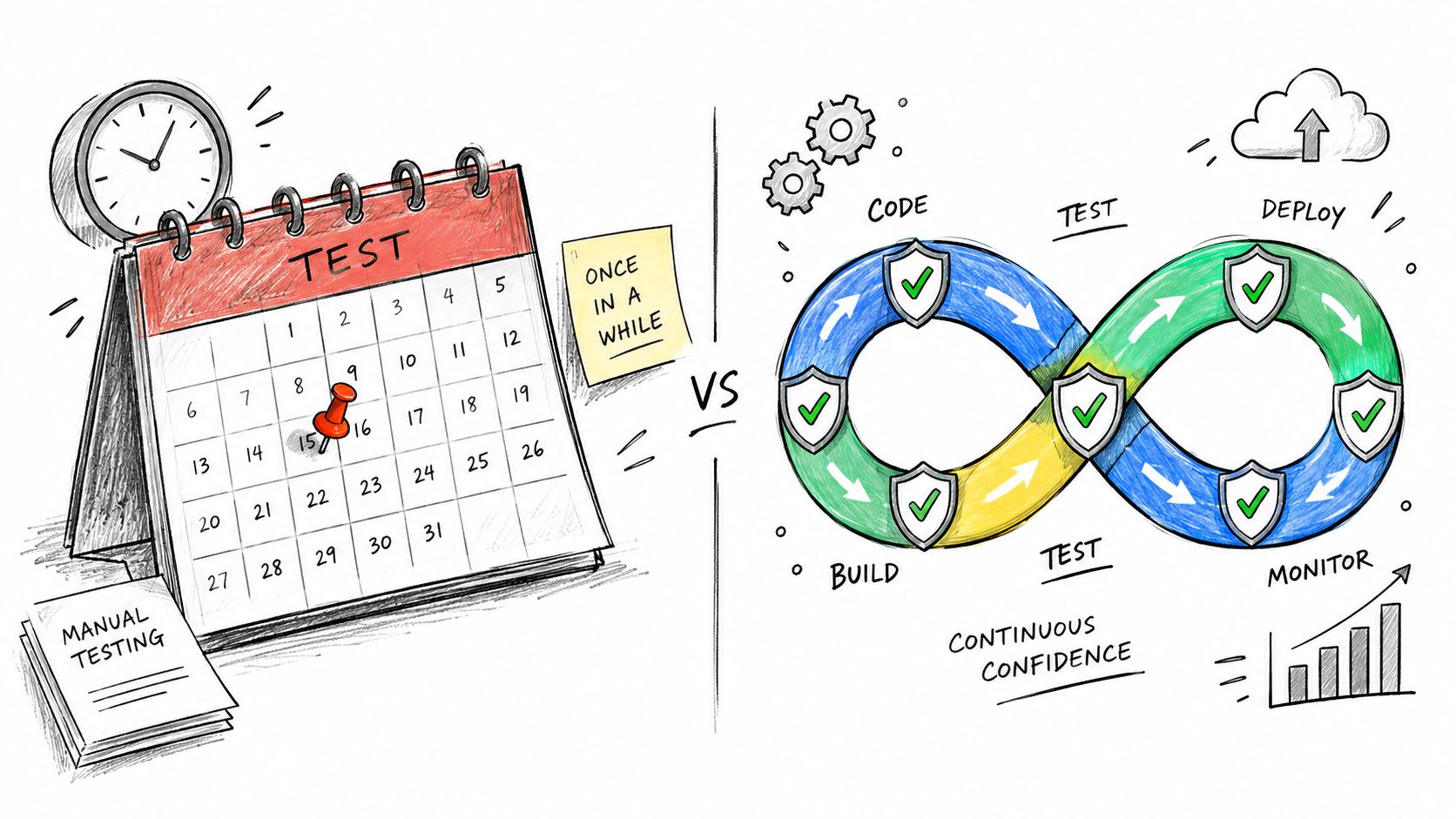
Pipeline security goes stale fast. A runner image changes, a maintainer swaps a marketplace action for a fork, an OIDC trust policy gets broadened for one release, and last month's clean assessment stops describing the system you run.
Why periodic checks miss pipeline reality
Source code is only part of the problem. The hidden attack surface sits in the delivery runtime itself: ephemeral runners, short-lived cloud identities, third-party actions, build caches, artifact stores, and plugin chains that change outside normal application review.
That churn breaks point-in-time testing.
A quarterly review might confirm that self-hosted runners are isolated and wiped between jobs. Two weeks later, a troubleshooting exception leaves Docker socket access exposed, or a runner pool starts reusing workspaces to cut build time. The codebase did not become less secure. The pipeline runtime did.
The same pattern shows up with identity. An OIDC role mapping can start narrow and then sprawl as teams add repositories, branches, and environments to keep releases moving. If nobody retests those trust conditions after each change, the pipeline becomes a path to cloud privilege escalation.
Earlier sections already covered supply-chain incident data and the weak adoption of controls such as secrets detection. The operational takeaway is simple: delivery systems change often enough that annual evidence and quarterly screenshots do not hold for long.
What continuous testing changes
Continuous testing works when it follows the speed of the component being tested. That does not mean running every heavy security check on every commit. It means testing fast-moving trust boundaries more often than slow-moving architecture decisions.
Use different cadences for different failure modes:
- Per change checks for obvious breakage: secret exposure, unsigned or unpinned action usage, policy violations in workflow files, and dangerous changes to runner configuration.
- Per release checks for exploitability: artifact tampering paths, privilege escalation through job identities, branch protection bypass routes, and promotion gate weaknesses.
- Scheduled runtime checks for drift: stale marketplace dependencies, overbroad OIDC claims, residual data on ephemeral runners, cache poisoning exposure, and plugin inventory changes.
That model creates friction. It should. Teams usually feel it first when a fast build collides with a control that invalidates a cached dependency path or blocks an unpinned action update. The answer is not to remove the control. The answer is to place it at the right stage and tune it with real exploit evidence instead of generic scanner noise.
Manual capacity will not close the gap
Manual testing still has a place, especially for chained abuse cases that cross CI, cloud IAM, and deployment tooling. But manual-only review does not keep up with pipelines that change daily across multiple business units or customer environments.
The practical approach is mixed. Automate the checks that catch recurring runtime mistakes. Use senior pentesters for the work automation misses: runner breakout attempts, action provenance validation, OIDC trust abuse, artifact substitution, and the ugly edge cases that only show up when speed shortcuts meet production access.
That is how the continuous testing gap closes in practice. Treat the delivery chain as a primary target, not a background system that gets reviewed once the application scan is done.
Frequently Asked Questions
How do we handle false positives from automated tools
Tune gates by stage and require exploit verification for blocking findings in later pipeline phases. Early controls should catch obvious hygiene failures fast. Later controls should prove risk, not just label it.
Is automated pentesting acceptable for compliance
It's useful when it produces evidence, scope clarity, and control mapping. Regulated environments still need disciplined reporting and, in some cases, scoped manual validation around critical assets.
How do we secure the pipeline runtime itself, not just the code
Test runners, job identities, third-party actions, plugin inventory, artifact integrity, and deployment credentials. That runtime trust layer is often the shortest route to production compromise.
ThreatExploit AI gives MSSPs and security teams a way to trigger automated penetration testing from CI/CD workflows, verify findings with evidence, and export reports mapped to compliance controls. If you're turning CI/CD pipeline security testing into a repeatable release gate instead of a yearly exercise, visit ThreatExploit AI and review how it fits into staged deployments and recurring assessments.